

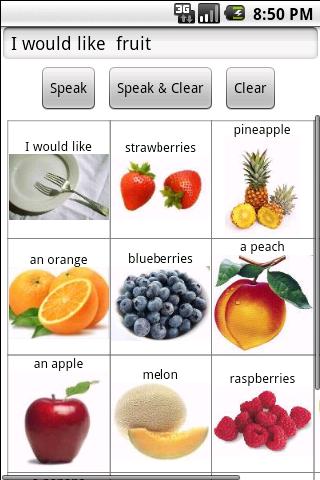
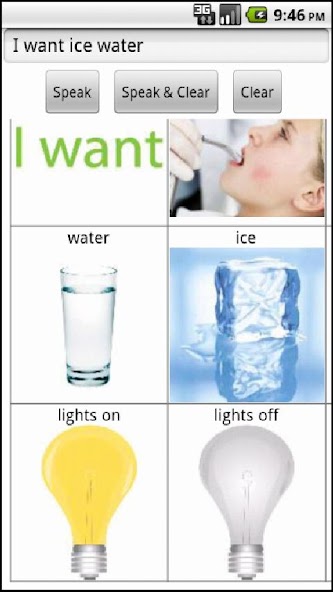
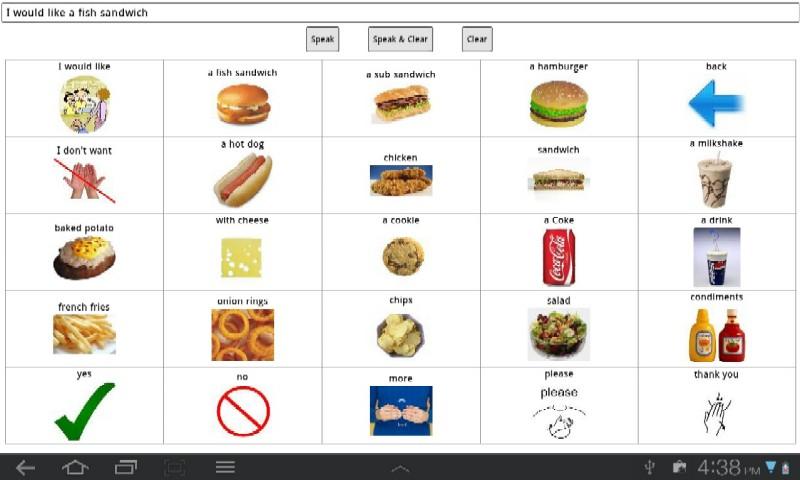
Use your Android device as an augmentative communication system.
Now you can publish your Alexicom augmentative communication pages to your Android tablet or phone and take them anywhere. Communication pages with text, images, and AT&T Natural Voices speech output can be downloaded directly from the Alexicom AAC server or imported from your computer with a USB cable. Once the pages are on your device, a data connection is no longer required. (Full access to the Alexicom server requires an active Alexicom account, however this app includes 38 demo pages which are accessible immediately.)
Alexicom AAC lets you use your Android phone or tablet as an augmentative communication device. We offer over 1,200 pre-made pages and over 7,000 images in our public libraries, which include twelve pre-made page sets: ChildPreA/B, Child1A/B, Child2, Child Intermediate, PicSpeechmaker, Adult1, Adult2, Speechmaker, Healthcare, and Spanish Child1. You can easily import these pages into your own online library, customize them, and/or create your own pages. AT&T Natural Voices offer text-to-speech output in 20 voices and five languages.
Because your pages are stored on the Alexicom AAC server, picture importation is easy. You can upload your own pictures from your hard drive, camera, or flash drive, or copy them straight from the internet using any of the popular search engines. It’s as easy as pasting the image URL into the cell you’re editing and pressing ‘Update’. Page creation and linking are equally simple.
Alexicom is not device dependent. Your pages can be accessed from any Mac, PC, or Linux computer, Android or iOS device, or other device with a standard web browser. Pages can be shared between SLPs, teachers, and caregivers and edited without taking the device away from the user. Use your pages online or offline and publish them to multiple devices. Easily print your pages and even use them on an interactive white board.
Free features include:
• In-app page creation and editing
• Direct camera image acquisition
• Bluetooth and direct touch scanning
• Word prediction (XT9 where available)
• On-board text-to-speech in over 25 languages (uses any installed TTS engine in any language)
• Bluetooth & direct touch scanning
• Auto-scan & step-scan
• Sequential & row/column scanning
• Auditory preview scanning
• Automatic home page loading
• Password-protected editing and settings menus
• Ability to merge, replace, and delete pages
• 38 speaking, linking demo pages
This version allows direct publishing of our public library page sets to your Android device. Easily publish an entire page set in 3 + 1 button presses. From the Publish New tab: 1) Select a page set, 2) check Select All, and 3) hit Publish (Merge to keep existing or Replace to erase all). Once the content has been packed, the "Click here to download" link will appear. Click it and the page set will automatically be installed on your device.
Explore Speechmaker (196 pages), PicSpeechmaker (243 pages), Child Intermediate (318 pages), and many other page sets.
IF YOU ARE UPDATING FROM A PREVIOUS VERSION:
If you are updating from a previous version and would like to install the demo pages, please try the following:
1) Go to the Settings tab in the Alexciom AAC app and enable page editing and deletion.
2) Return to page list and hit Delete button to enable Delete mode.
3) Select all pages for deletion and press the Delete button.
4) Once all pages have been deleted, you will be asked if you want to load the demo pages.
5) Select 'Yes'.
If you need assistance, please contact us.







 Download