• Home
  • Game
    Action Simulation RPG Sports Casual Cards Music Puzzle Shooting Romance
  • Apps
    Business Social Lifestyle Shopping Tools Travel Finance Education News Health
  • Blogs

English 中文(简体) 中文(繁体) 한국어 日本語 Português Español Русский العربية Indonesia Deutsch Français ภาษาไทย
Home Apps Tools DIGI Clock & Wallpaper
DIGI Clock & Wallpaper

DIGI Clock & Wallpaper

1
2
3
4
5
Download
  • Version 4.1.2
  • Category Tools
  • Package Name sk.michalec.DigiClockLiveWallpaper
  • Update Time January 21, 2026
  • Size 11.89MB
About this app

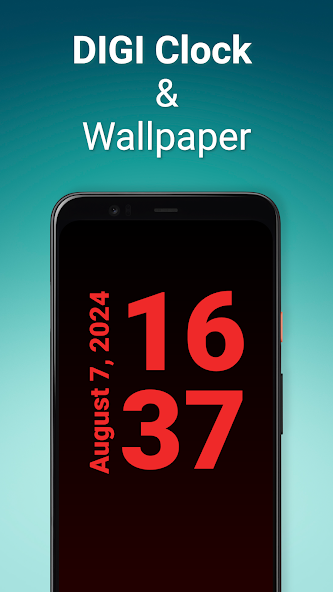
This app turns your mobile into a full-screen clock

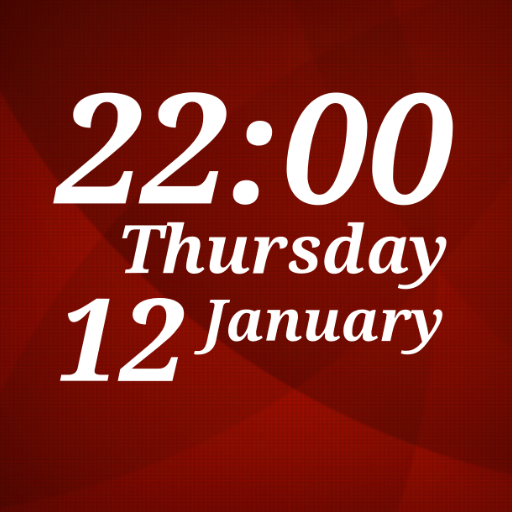
The app will show you the exact time in full screen. In a large and easy-to-read font. It offers many pre-made themes. And when you feel like preparing your own design, you can customize everything with the interactive editor.

DIGI Clock & Wallpaper offers the following features:

⁃ Extra large time display.

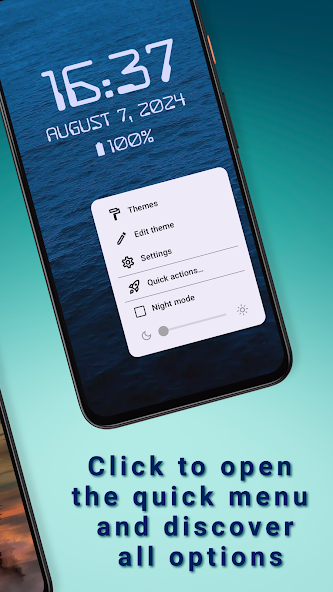
⁃ Option to switch the screen to dark night mode.

⁃ Optional display of the date, battery status or time of the next alarm.

⁃ Time format can be set to 12 or 24 hours.

⁃ Supports both portrait and landscape mode display. Orientation can be detected automatically or set directly.

⁃ Status and navigation bar can be optionally hidden.

⁃ Font, color, outlines and font shading are adjustable.

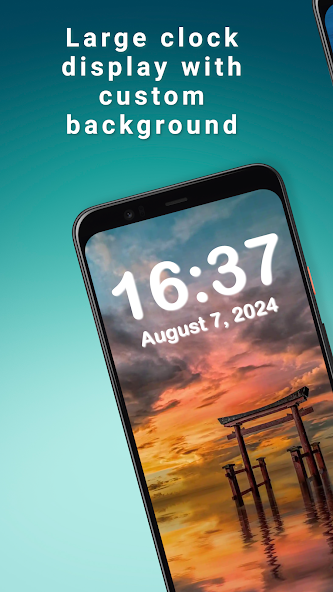
⁃ You can customize the clock background to your mood. Set a monochrome, gradient background or choose a background image from your gallery.

⁃ The display is always on.

A variety of pre-made themes are available in the app. If you want to create your own design, use the theme setup wizard and then you can fine-tune the theme using the interactive editor.

You can set the app as a live background. Whenever you look at the display, you'll see the time in the background.

You can also set the "DIGI Clock and Wallpaper" as a screensaver. When you connect your phone to the charger, the app automatically starts and displays the time. You can then switch the screen to dark night mode using a dedicated button.

If you decide to use the clock long-term, e.g. as a bedside clock, consider connecting the device to the charger. Since the display is always on, it is better to have a power source available. The brightness of the screen can be significantly reduced by switching on the "night mode".

Thanks for using DIGI Clock & Wallpaper!
What's New in the Latest Version 4.1.2

Last updated on Jan 28, 2025 - Added option to create a copy of the user theme (4.1.2).
- Korean and Italian localisation (4.1.2).
- Minor UI updates (4.1.1).
- Russian and Portuguese localisation (4.1.1).
- Compatibility with Android 15 (4.1.0).
- Charging battery icon display item added (4.1.0).
- Internet and Wi-Fi icon connectivity display items added (4.1.0).
- Added the ability to launch the screen saver in night mode (4.1.0).
Download(11.89MB)
Users also viewed
  • MagIQtouch

    MagIQtouch

    2.8.3 March 10, 2026
  • Find My

    Find My

    9.2.0 March 10, 2026
  • Resistor

    Resistor

    1.1 March 10, 2026
  • Blue Sky - Best Weather Widget

    Blue Sky - Best Weather Widget

    7.2.8.b_release March 10, 2026
  • Persian for GO Keyboard- Emoji

    Persian for GO Keyboard- Emoji

    4.0 March 10, 2026
  • Height Converter feet-inch cm

    Height Converter feet-inch cm

    1.0 March 9, 2026
  • Live Wallpaper Shortcut

    Live Wallpaper Shortcut

    1.2 March 9, 2026
  • Pink Wallpapers

    Pink Wallpapers

    2.0 March 9, 2026
  • Gems Nova/Apex/ADW Theme

    Gems Nova/Apex/ADW Theme

    1.0 March 9, 2026
  • Cube Keyboard Skin

    Cube Keyboard Skin

    1.1 March 9, 2026
  • Autostart (Event Finder)

    Autostart (Event Finder)

    1.6 March 8, 2026
  • Weed 3D Live Wallpaper

    Weed 3D Live Wallpaper

    1.2.1 March 8, 2026
  • Task Manager S4 Shortcut

    Task Manager S4 Shortcut

    1.1 March 8, 2026
  • Weather Free

    Weather Free

    1.1 March 8, 2026
  • Nature Scenes Wallpapers

    Nature Scenes Wallpapers

    5.0 March 8, 2026
About Privacy Policy Terms of Service Cooking Policy

© Copyright 2017-2026 downzk.com