• Home
  • Game
    Action Simulation RPG Sports Casual Cards Music Puzzle Shooting Romance
  • Apps
    Business Social Lifestyle Shopping Tools Travel Finance Education News Health
  • Blogs

English 中文(简体) 中文(繁体) 한국어 日本語 Português Español Русский العربية Indonesia Deutsch Français ภาษาไทย
Home Apps Lifestyle DNT QuattSecure IP
DNT QuattSecure IP

DNT QuattSecure IP

1
2
3
4
5
Download
  • Version 1.8.19
  • Category Lifestyle
  • Package Name com.dntquattsecureip
  • Update Time December 3, 2025
  • Size 1.25MB
About this app

Enjoy Millions of the Latest Android Apps, Games, Music, Movies, TV, Books, Magazines & More. Anytime, Anywhere, Across Your Devices.

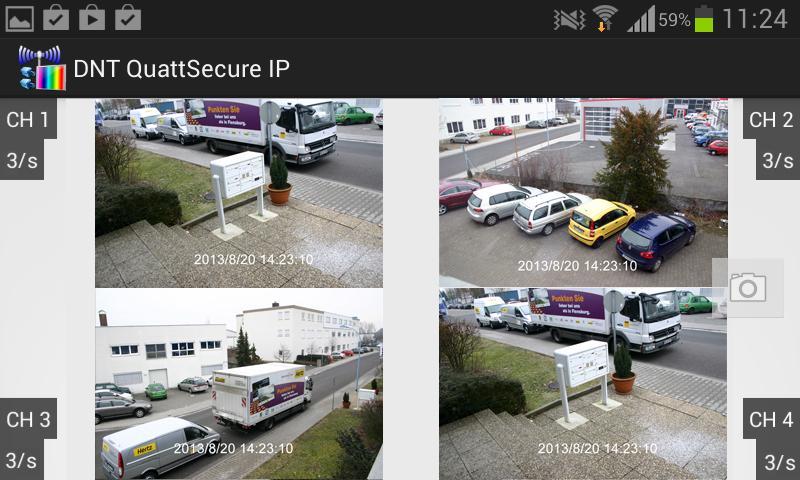
See what happens at home by smartphone: live from anywhere and at any time!

With the Quattsecure IP app you can monitor your property directly from the smartphone - and

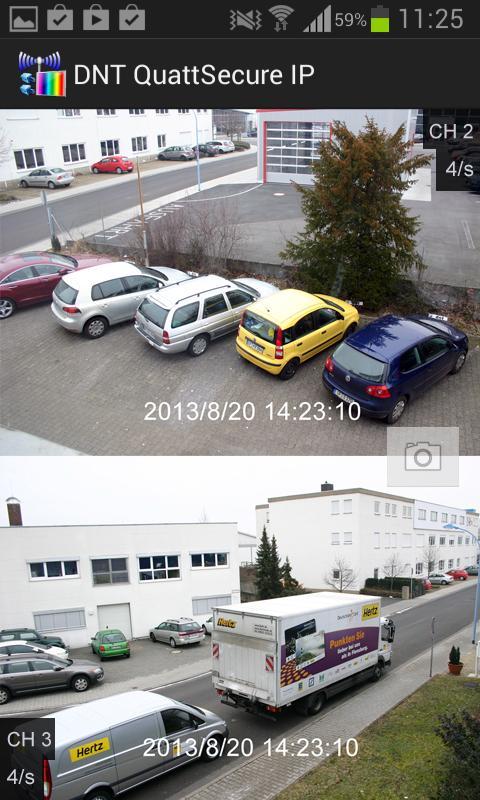
Are informed immediately at the alarm! You can view up to 4 cameras on the smartphone at the same time.

Notes:

- For operation you need the QuatSecure-IP set from DNT.

- Connect the system to your network, follow the information in the operating instructions (area: network)

- Important: It is necessary to activate the UPNP function in the settings of your router.

- Start the app and call the "Settings" item, create a new connection there with "New".

- Enter a name for your network.

- Enter the ID number of your network now, this number can be found in the network information on the monitor or simply scan the QR code shown there.

- If you have already given a password in the network settings of your monitor, please enter this again here.

- With "Add New" they complete the settings.

- Now press the network name in the list to get to the camera view.

- In the camera view, press the arrow key to start playback.

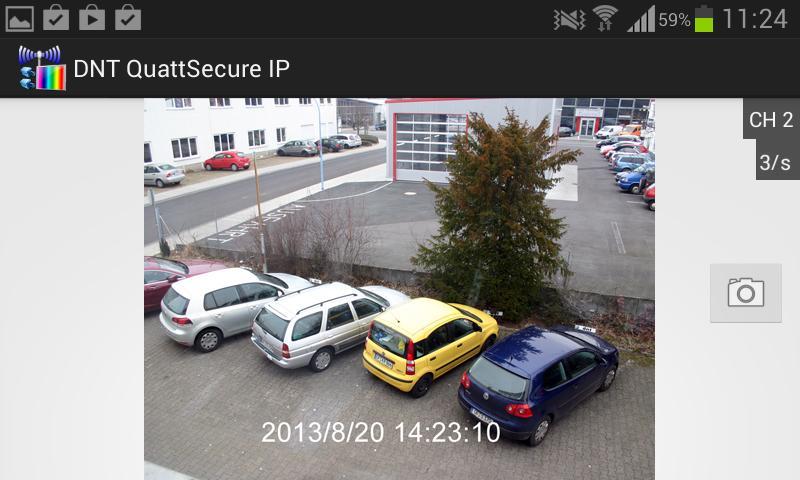
- If the connection is successful, the camera image is now displayed.

- You can hide individual camera images by tapping shortly afterwards.

- You can create snapshot shot from the cameras. To do this, press the camera symbol in the view

- To adapt the network settings (modify) or to remove (Delete), press the network name in the "Settings" and hold it down.

- With "Notification Push Setting" you set up the alarm notification function. Further settings on the QuatSecure-IP monitor are also necessary for this.

- If the facility is successful, you will receive a notification with the time and the camera that triggered the alarm in the event of an alarm.
What's new in the latest version 1.8.19

Last updated on SEP 26, 2015 The access is now possible without activating the UPNP function on the router.
Download(1.25MB)
Users also viewed
  • Edinburgh Festival Fringe

    Edinburgh Festival Fringe

    3.1.3.4 January 14, 2026
  • Flachwitze 100x

    Flachwitze 100x

    2.0.00 January 14, 2026
  • The Voice of Islam 87.6 FM

    The Voice of Islam 87.6 FM

    4.0.6 January 14, 2026
  • eMunshi-Advocate Diary

    eMunshi-Advocate Diary

    1.7 January 13, 2026
  • CashBook(Free)

    CashBook(Free)

    1.52 January 13, 2026
  • Circuito Inter. Vila Real 2014

    Circuito Inter. Vila Real 2014

    1.3.1 January 12, 2026
  • Pink Neon Keyboard Theme (New)

    Pink Neon Keyboard Theme (New)

    4.172.106.81 January 11, 2026
  • Mouth Off Fun 2

    Mouth Off Fun 2

    1.0 January 10, 2026
  • DJ Music Pad

    DJ Music Pad

    1.22 January 10, 2026
  • Fairy Tale Wallpaper

    Fairy Tale Wallpaper

    1.0 January 10, 2026
  • Guide Dragon BALL Fighter Z

    Guide Dragon BALL Fighter Z

    1.0.0 January 9, 2026
  • Dominos Pizza PL

    Dominos Pizza PL

    1.6.6 January 9, 2026
  • Sve Na Dlanu Serije

    Sve Na Dlanu Serije

    2.0 January 9, 2026
  • Love songs 2021, quotes and po

    Love songs 2021, quotes and po

    3.0.0 January 8, 2026
  • Ultra Worldwide

    Ultra Worldwide

    2025.1.1 January 7, 2026
About Privacy Policy Terms of Service Cooking Policy

© Copyright 2017-2026 downzk.com