

Enjoy millions of the latest Android apps, games, music, movies, TV, books, magazines & more. Anytime, anywhere, across your devices.
There are permanent error on my pds server.
Please visit http://www.fontomizer.net for more fonts.
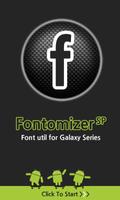
Android Font Utility (Font for Galaxy, Galaxy Font)
Download over 10 million!!!
Fontomizer SP
Font for Galaxy
Galaxy Font
Galaxy S
Galaxy S2
Galaxy S3
Galaxy Ace,Y
Galaxy Mini
Galaxy Note
Galaxy Note 2
and most Samsung Galaxy Series
+ Motorola Razer M
Visit http://www.fontomizer.net for more fonts
FIRST OF ALL
You have to check "unknown sources" option.
* Go to home screen> settings> applications, and check unknown sources.
* If your device contains Flip Font library, You don't have to root your device.
* Some Carrier doesn't allow side downloaded application(non-market app). In this case you should root your device to use this utility.
WHAT IS THIS??
- Font for Galaxy is a Fonts package for SAMSUNG Galaxy Devices.
- You can download font apk from this app.
- Font installer apps are not on Android market(side download). So, you have to check "unknow sources" option in "applications setting"(See FIRST OF ALL)
HOW TO USE?
- Check if your device is SAMSUNG Galaxy series.
- Although your device is from SAMSUNG, some network provider(carrier) doesn't allow side downloaded app(non-market app), in this case you should root your galaxy to use "Fontomizer SP"
- Run this app, and click a font what you want to use.
- Download procedure will be appeared.
- After download, install downloaded apk.
- After install downloaded apk, go to font setting menu.
*Home > Setting > Display > Font
- If everything ok, you can see a new font name on font list.
- Choose a font what you want to use.
- Enjoy it.
HOW TO UNINSTALL FONTS?
- Go to 'Home > Setting > Application > Manage Application'
- Select font you want to uninstall
- Follow instructions
POSSIBLE DEVICES
I made this Application for SAMSUNG Galaxy Series. It works on Galaxy S, Galaxy A, Glaxy Tab, Galaxy Note
* Some fonts displays weird, that because of font size.
* Also some fonts doesn't work on your device. because of 'Android Fragmentation'.
BASIC INFORMATION
These fonts are based on FLIPFONT library. So if your device has flipfont function, then you can use these fonts although your device is not Galaxy series.
COPYRIGHT
These fonts are all free TTF fonts.
I collect lots of TTFs and I checked that these fonts are free version.
If you find any commercial font on this app, please report me. Then I'll let it down immediately.
UPDATE
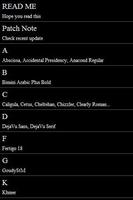
See Patch note on main menu.
SEND A FONT WHAT YOU WANT TO USE.
I can handle English, Japanese, Chinese and Korean. If you want run some fonts on your Galaxy device, please send your font to me by email.
I'll update your font to this app.But don't forget, that font must be free version.
When you send a font to me, you should send license information also if possible.
Thank you and enjoy it.
* Contains
English fonts
Chinese fonts
Malayalam fonts
Kandana fonts
Myanmar fonts
Sinhala(Srilanka) fonts
Tamil fonts
Korean font




 Download