• Home
  • Game
    Action Simulation RPG Sports Casual Cards Music Puzzle Shooting Romance
  • Apps
    Business Social Lifestyle Shopping Tools Travel Finance Education News Health
  • Blogs

English 中文(简体) 中文(繁体) 한국어 日本語 Português Español Русский العربية Indonesia Deutsch Français ภาษาไทย
Home Apps Tools GamePad
GamePad

GamePad

1
2
3
4
5
Download
  • Version 1.7
  • Category Tools
  • Package Name com.fishstix.gameboard
  • Update Time July 19, 2026
  • Size 1.12MB
About this app

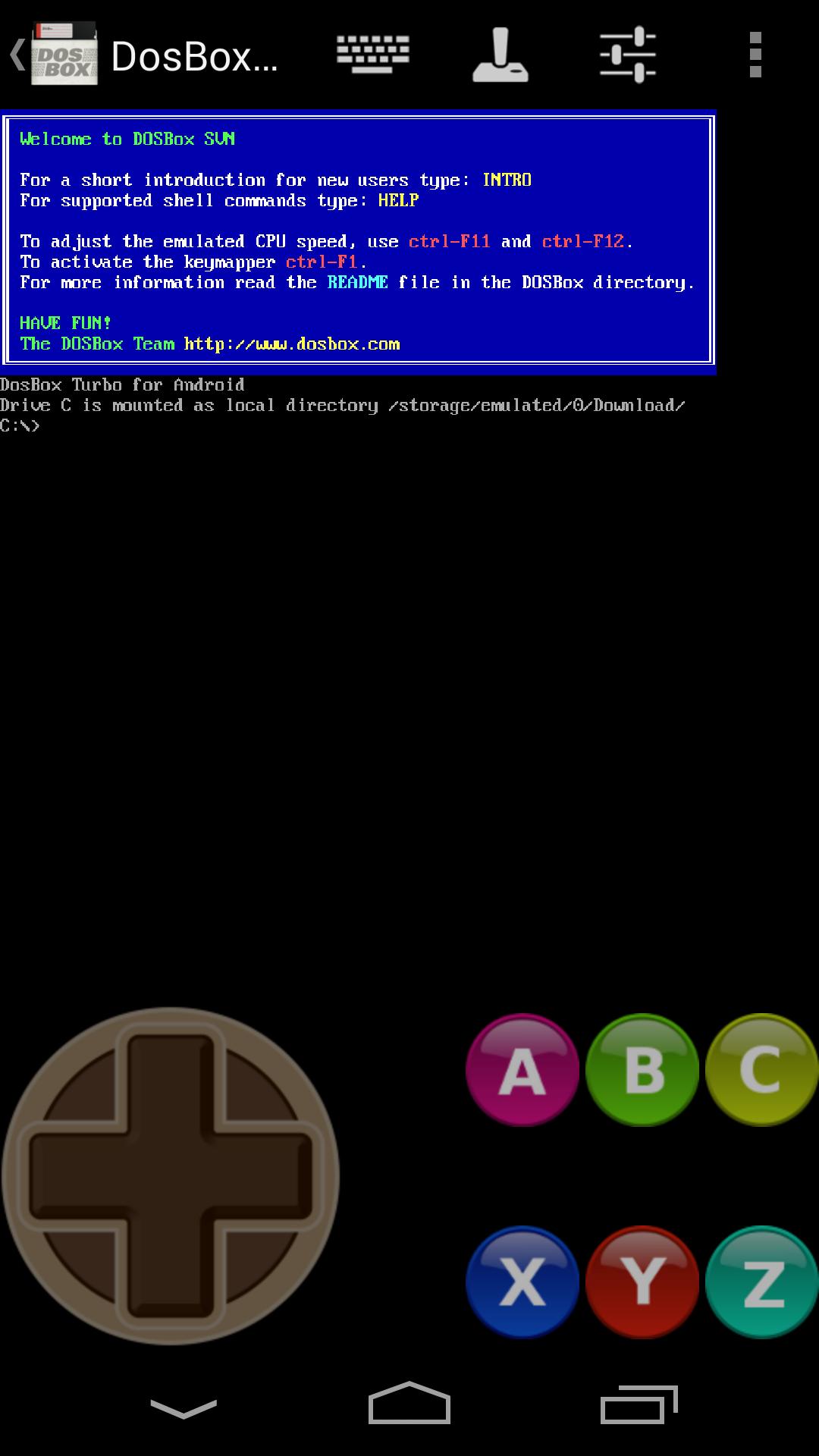
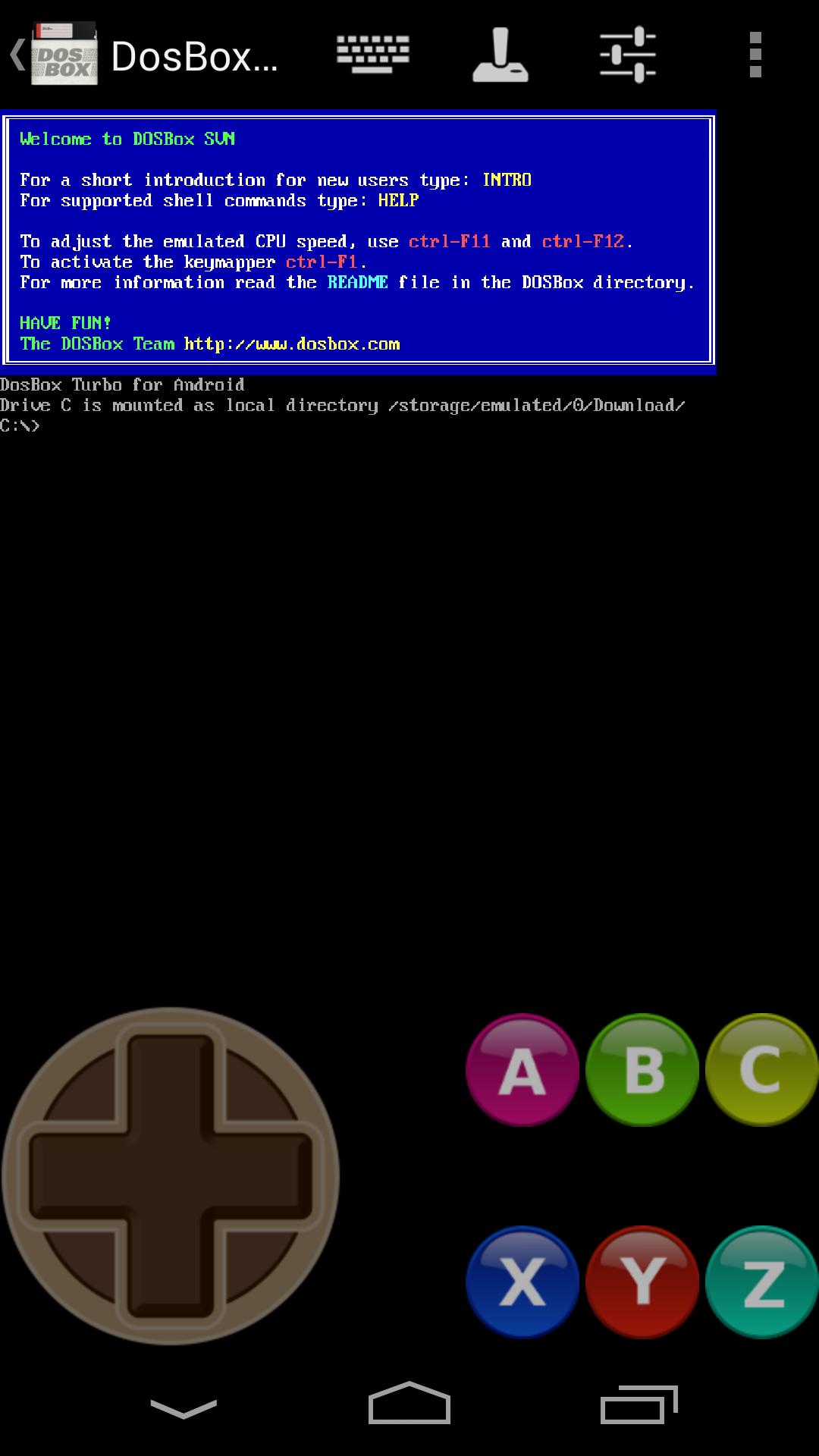
Free Virtual GamePad & keyboard for playing games.

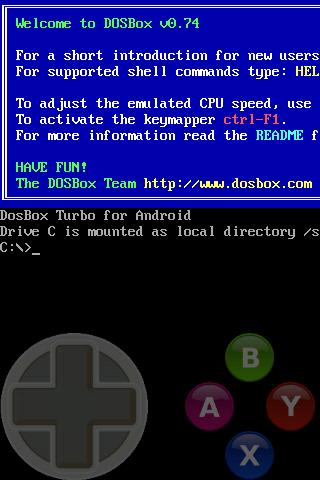
The only 100% FREE GamePad keyboard for playing games. Emulates a simple D-Dpad directional keys / Cursor Keyboard Keys, and four (or six) separate buttons.

Emulate a Game Controller on your phone. Designed for use with DosBox Turbo, but works with other Android emulators, OnLive, SplashTop and any Android game/app that can use a Keyboard (utilizes the standard Android Input Method Framework).

Features:

=========

★ True 8-Way or emulated 8-Way Directional Pad

★ Permanent Notification Setting to allow use in any App/Game

★ Custom Mappable 8-way DPad

★ 4 or 6 extra mappable buttons + directional pad

★ DosBox Turbo / Xbox360 mode Controller emulation

★ ESC and Function Keys (F1-F12)

★ Re-Map A,B,X,Y,C,Z buttons to Different Keys

★ Multi-Touch capable (depends on phone hardware)

★ Built in Transparent Keyboard

★ Uses standard Android Input Method (IME)

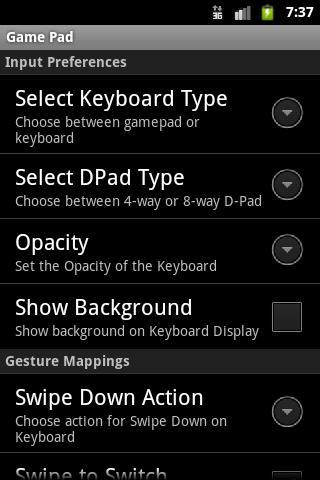
★ Configurable Transparency Levels

★ Swipe Left/Right to switch from Keyboard to GamePad

★ Swipe Down for Settings

★ Configurable Swipe Gestures

To Use:

=======

After installation, Enable "Game Pad" in the Android Settings->Keyboards section.

Choose "Game Pad" as the Input Method.

** NOTE: If the game/app does not SUPPORT using Standard Android Input Method (ie. Keyboard) as an input method, then go into the settings menu and enable "Permanent Notification". Launch GamePad Keyboard once to start the notification. Then start your game and drag down the notification area. By clicking on notification icon, GamePad Keyboard will be displayed.
What's New in the Latest Version 1.7

Last updated on Sep 12, 2018 Update notification to support Android 7.0/8.0+
Add option for Keypress Previews
Fix permanent notification bugs.
Add border around QWERTY keys for better differentiation.
Change minimum required Android version to 4.0 (Ice Cream Sandwich).
Download(1.12MB)
Users also viewed
  • Atlanta Homes & Lifestyles

    Atlanta Homes & Lifestyles

    18.1.2 July 19, 2026
  • Monaco Font [CyanogenMod 11]

    Monaco Font [CyanogenMod 11]

    1.0 July 19, 2026
  • Power Menu (ROOT)

    Power Menu (ROOT)

    1.6 July 19, 2026
  • Specs of Android  | CPU Z

    Specs of Android | CPU Z

    1.3 July 19, 2026
  • Security Code Screen Lock

    Security Code Screen Lock

    1.0 July 19, 2026
  • McAfee App Advisor

    McAfee App Advisor

    1.1.0.680 July 19, 2026
  • Sheffield, UK South Yorkshire - weather and more

    Sheffield, UK South Yorkshire - weather and more

    5 July 18, 2026
  • Top Window Curtains and Draper

    Top Window Curtains and Draper

    7.0 July 18, 2026
  • Smart TV Remote

    Smart TV Remote

    3.9.4 July 18, 2026
  • Free VPN Proxy - ZPN

    Free VPN Proxy - ZPN

    5.0.1 July 18, 2026
  • North West Tides

    North West Tides

    1.1.3 July 18, 2026
  • FindMeDecor

    FindMeDecor

    1.0.3.002 July 18, 2026
  • Cleaner for WhatsApp & Viber

    Cleaner for WhatsApp & Viber

    1.2 July 17, 2026
  • Galaxy GO LOCKER THEME

    Galaxy GO LOCKER THEME

    v1.0 July 17, 2026
  • Halloween Ghostface Photo Edit

    Halloween Ghostface Photo Edit

    1.1 July 17, 2026
About Privacy Policy Terms of Service Cooking Policy

© Copyright 2017-2026 downzk.com