

GPS Speedometer, speed, coordinates, GPS satellite test, map and compass
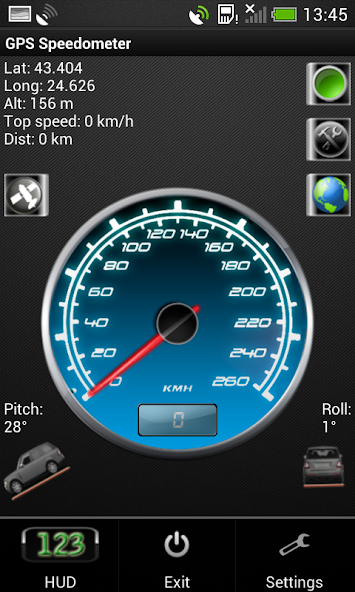
GPS Speedometer - this speed tracking application uses your device's gps module to determine your current altitude, latitude, maximal reached velocity, total distance, satellite information and other features. The speedometer is a free software for Android devices with built-in GPS reciever. It acts as a normal speed gauge, which you may find in any car, showing the velocity of the vehicle you are in in kph and mph. This app is compatible with phones, tablets and all GPS powered Android devices.
*Permanently set to KM/H or MPH
*Change your background
*Change needle color
*Choose to keep screen lit(or not) when app is active.
*Added a software menu button if no hardware one detected
*Move to SD card
*Fixed Altitude readings
*Added Google Map view
*Some bug fixes
*Set screen size
*This is an ad-supported application. The ads are located on the bottom of the screen.
There is also a flashlight available in the speedometer. You turn it on and off by simply clicking the green button, located in the top right corner of the app.
In miles per hour (MPH)
You can set the app to kmh or mph.
Some features of the speed app include:
GPS Coordinates
-Shows you your current GPS position - Longitude, Latitude and Altitude, as well as your top speed.
GPS Speed
-Your current speed and your maximum velocity, according to the satellites.
Google Maps for newer versions of Android (4.0.3 and above)
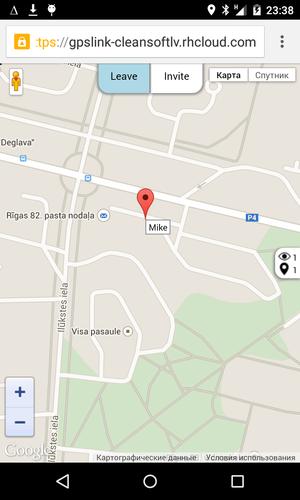
-Added Google Maps view. With a single click you can view your current position on the map, which may help you navigate to your current destination.
Vehicle position
-The pitch and roll of the vehicle you are in (the device must be in upright position according to the vehicle)
Units
-Both the analog and digital speedometer views can be either in miles or kilometers per hour.
HUD - heads up display
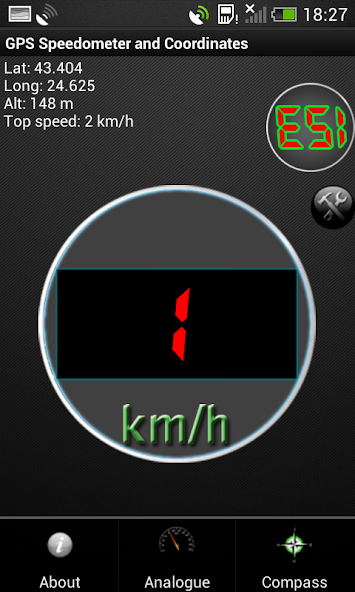
-You can switch to HUD mode, which will show you your velocity digitally with large green numbers.
Mirror HUD mode
-A mirror view of the digits, allowing you to put your phone on the dash of the vehicle, so that the readings of your speed in kilometers per hour can be reflected from the windshield at night.
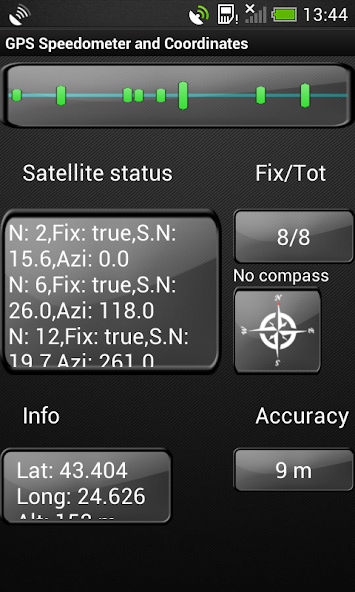
* Satellite signal (SNR) bar chart. Green bars indicate that the current satellite is used in the fix, while the blue ones show that the satellite is visible, but it is not used for a position fix.
* GPS satellite status and information, shown in a scrollable window - the number of the satellite, whether it is used in a fix or not, Signal-to-noise ratio, azimuth.
* The number of fixed and all visible satellites.
* Compass, which will also show your heading (if the device has a build in sensor).
* Information of your location - your current latitude, longitude and altitude.
* Accuracy window
Legend:
---Satellite status---
*N: - PRN (pseudo-random number) for the satellite
*Fix: True or False - if the given satellite is used in a fix for the location
*S.N: signal to noise ratio
*Azi: Returns the azimuth of the satellite in degrees. The azimuth can vary between 0 and 360
---Info---
*Lat: Get the latitude, in degrees.
*Long: Get the longitude, in degrees.
*Alt: Get the altitude if available, in meters
---Accuracy---
Get the estimated accuracy of this location, in meters.
*Tested on Samsung Galaxy S III, Samsung Galaxy Tab 2 7.0', Huawei Mate, HTC Desire 500 and others





 Download