

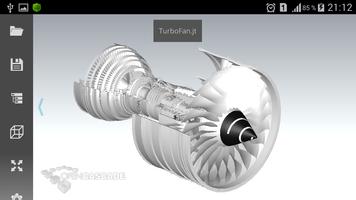
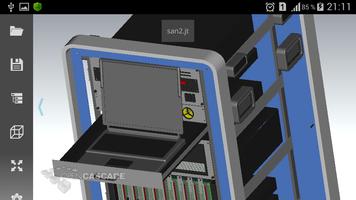
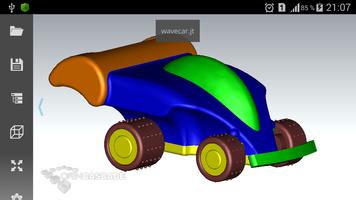
Viewer for files in JT format
WARNING! This is a legacy application that is not going to receive updates. Please try Open Cascade CAD Assistant (which supports reading JT files in addition to other 3D formats) if you are looking for new features and improvements.
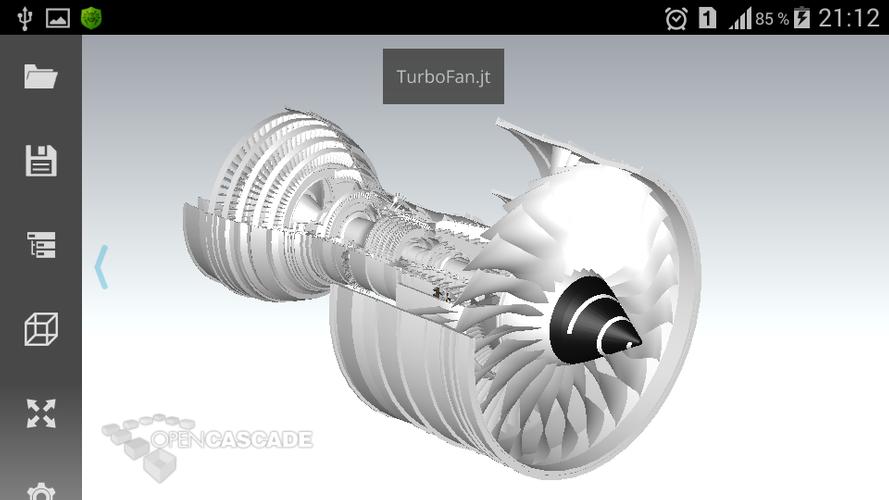
OPEN CASCADE JT Assistant for Android is an offline viewer for files in JT format, an industry focused, high-performance, lightweight, flexible file format intended for representation of 3D products, developed by Siemens PLM Software. JT files can contain assemblies of industrial scale (up to 100 000 parts).
JT Assistant handles JT meshes and supports late loading, CPU based size and visibility filtration techniques to optimize the amount of loaded and visualized data, as well as level-of-detail (LOD) management.
If you wish to use this technology for development of customized solutions for your business, contact us at: https://dev.opencascade.org/webform/contact_us
Supported JT data
JT file versions 8.0 - 9.5 are currently supported. Tessellation data and assembly structure are visualized. Monolithic and non-monolithic assemblies are supported.
Assembly structure of the model can be navigated through tree browser, displaying the names of parts and their instances in the assembly (if available). The components of the assembly can be hidden or shown as necessary to inspect the model.
A few sample JT files are included with JT Assistant. You can find more examples at Siemens PLM web site, JT2Go page, or GrabCAD web site.
Common operations
JT Assistant for Android is optimized for devices with multi-touch screen and provides intuitive manipulation of the 3D view by finger gestures.
Viewer supports multi-resolution representations of part geometry, as well as optimized visualization and selection involving dynamic LOD management, frustum culling, and size culling techniques.
Left toolbar provides buttons for fitting model to window and choice of standard views. Settings submenu provides access to viewer and application options as well as model information.
Files can be opened from local storage (internal memory or SD card). JT Assistant integrates with Android so that applications supporting file associations will launch it for opening JT files. For instance, you can open JT file sent to you by mail by simple click on attachment in mail client.
Save file dialog allows saving current image of the model to PNG format. If target directory Mail is selected, the mail client will be automatically started with saved file as attachment.
Supported platforms
JT Assistant has been tested to work on a range of modern middle-level tablets and smartphones. Note that it supports only landscape screen orientation and this might be inconvenient on phones.
Application requires OpenGL ES 3.0+ device.
Limitations
This is the first version of JT Assistant and it has the following limitations:
- JT file versions 8.0 - 9.5 are currently supported;
- only tessellated data are visualized (BRep geometry, PMI data, and attributes are ignored);
- no support for export to JT format;
- not optimized for performance and devices with small screen size.
Depending on a device, opening large files may take time. Devices with low-range graphic processor could be slow on displaying large models.





 Download