




Get ready, because photography will never be the same again.
KaptureMoments Pro Now Available on Please Download now
https://play.google.com/store/apps/details?id=com.kapturemoments.paid
Kapture Moments
First Of All Thank You For Taking Interest In Kapture Moments, We Promise You The Best Photography Experience Ever.
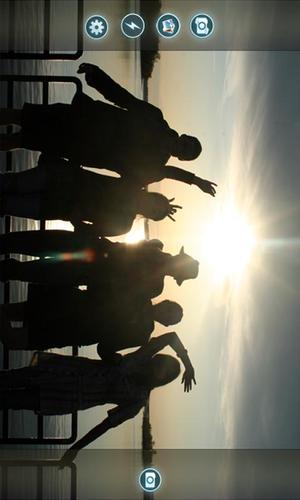
Get ready, because photography will never be the same again. Kapture Moments gives you the magic of professional digital photography with the powerful intelligence of the Android OS.It’s the smartest camera ever, with stunning photographic output and a range of exceptionally rich professional shooting modes and editing features.
Straight from the camera, you can connect, upload, share, and even post to your favourite social media. So the next time you're out vacationing and want to instantly share all your memories with the folks back home, Kapture Moments is the only thing that you need.
Kapture Moments has been designed in 3 different shooting modes:
1.Single Shot
-Takes a single High Quality Image
2.Best Face
-You can use Best Face Feature to travel back in time after you’ve taken a picture to replace the snap
with the perfect moment.
(When you take a photo in Best Face Mode just go to the gallery,select Best Face, find the photo you just
took,select the best moment by either swiping your fingers across the screen or using arrow keys to switch
between different frames of the photo, once you are satisfied with the image select edit and save. Image
will be directly saved in your phone's gallery)
3.Fast Shot
-Take fast and continuous shots of anything without losing any image quality.
Each mode can be accessed by the settings icon in the main screen.
Requirements:
Android 2.3.3 Gingerbread and higher.
Please note that this app is still in development and we will be continuously keep updating the app with
new features.
If you face any problems or find any bugs please bring it into our attention by contacting:
KaptureMoments Pro Now Available on Please Download now
https://play.google.com/store/apps/details?id=com.kapturemoments.paid




 Download