

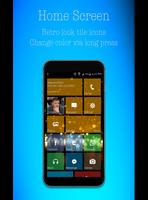
Launcher 8 ... Windows lookalike launcher.
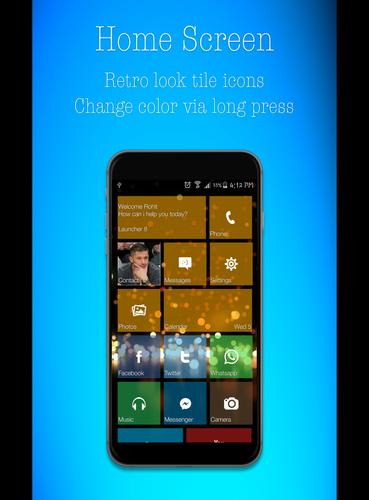
Do you want tile-based user interface (like Windows 8 phone) and power of Android on one device then try Launcher 8 Metro Style.This Launcher biedt you like Windows Phone look and feel on your android device.
Bored or Android user interface? Do you want to try a new style launcher? Launcher 8 Metro Style is a great app for you to experience the brand new style UI on your Android mobile phone.
Show this launcher to your friends and make them believe you have window phone.
Launcher 8 is an excellent app for you to experience the new UI on your Android device.
It's super fast, clean and comfortable with more customizable and personalized layout.It's amazing and interesting When you use this app and you can ook show off your new style or homescreen to your friends as theywill think you have got new windows phone in your hand !!!
If you have activated the "double tap" option in the settings C8 then you have to turn it off in order to uninstall the app.
Make your Android phone and tablet look like a replica or Windows Phone.
This app will give a brand new interface and make your Android experience a lot more easy and smooth.
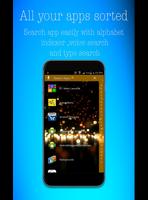
Easy access to all your apps. All your apps just a slide away.
Windows8 look will make your phone unique.
The tile format and retro look gives you a beautiful and convenient way to use your device.
Your friends will be surprised to see you using a windows like look in your android phone.
Elegant and very tasteful colors to choose from.
Try it out and you will feel the change.
Single hand use.
Notification tray for shortcuts to many useful utilities like wifi bluetooth etc.
Multi layout to all your apps you can choose from grid and list view.
* Features *
-> An awesome drag and drop * * CONTROL CENTRE. you can just pull out this control center from the bottom of the phone screen and you can get access to all the shortcuts to quick settings.
-> This control center contains quick settings like Bluetooth access, wifi access, mobile data access, screen rotation on / off, sound settings, brightness control and more.
-> In the control center you will find a theme button-which is there to give you awesome handpicked colors and backgrounds launcher for you to make it beautiful and you refreshing new five screen everyday.
-> At the main screen tiles Placed we have some applications-which are mostly required by smartphone users. But if you do not use any of These apps just LongPress on Any Tile and accordion thing customize it to your needs.
-> Swipe right to get all the apps in the phone.
-> Press Menu button to know more about this launcher.
-> This launcher is safe to use and does not copy any content from your phone
-> You can customize the theme.
-> The Metro style bold accent colors (Many Handpicked Options)
-> Showing wallpaper in your metro launcher thats new.
-> An awesome CONTROL CENTRE-which none of the eight win replicas have.
-> Change the fonts, there are a variety of fonts've given in.
-> Double tap anywhere to lock screen.
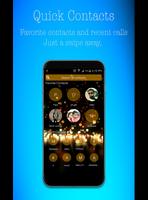
-> Search contact and call them very fast and easy.
-> Swipe left on homescreen to launch Google Now.
G + and Rate our app to help us.
Please write us [email protected] with any queries you have regarding etc. this app.
Also please press the (g + 1) on google play to share the app with your circle.
Your feedback and reviews on google play is very important so if you like the app please do not forget to write a review and rate it. It is much appreciated.




 Download