

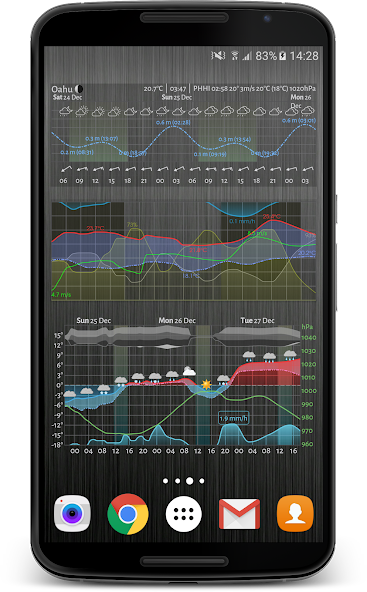

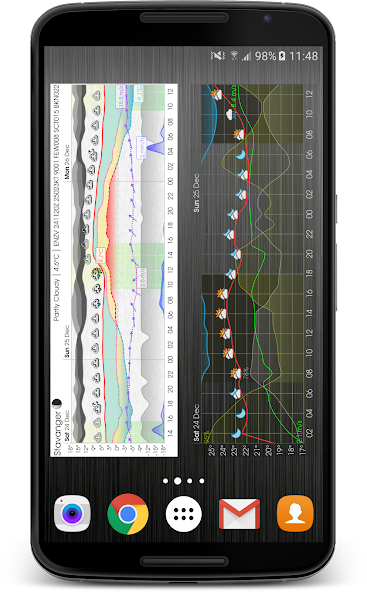
Weather widget and app showing a graphical weather forecast... plus tide charts
Summary
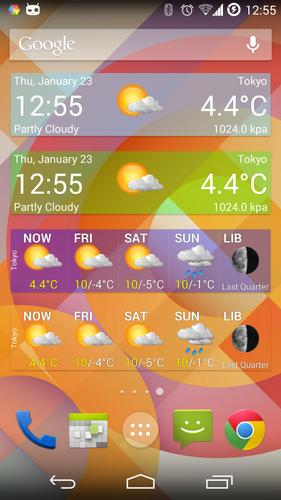
This resizable weather widget (and interactive app) provides a detailed and visually appealing weather forecast, allowing you very quickly to understand what to expect when you venture outdoors. The graphical format is commonly referred to as a 'Meteogram'.
You can choose to display as little or as much information as you like, or you can set up multiple widgets showing different information (optionally for different places) in different widgets.
You can plot common weather parameters like temperature, wind speed and pressure, as well as tide charts, UV Index, wave height, moon phase, sunrise and sunset times, and much much more!
You can even display government-issued weather alerts chart, with coverage for at least 63 different countries.
The content and style of the Meteogram is extremely configurable... with over 4000 options to set, your imagination is the limit!
The widget is also fully resizable, so make it however small or large you like on your home screen! And the interactive app is just a click away, direct from the widget.
Furthermore, you can choose where your weather data comes from, with over 30 different models or sources including:
★ The Weather Company
★ Apple Weather (WeatherKit)
★ Foreca
★ AccuWeather
★ MeteoGroup
★ Norwegian Met Office (Meteorologisk Institutt)
★ MOSMIX, ICON-EU and COSMO-D2 models from German Met Office (Deutscher Wetterdienst or DWD
★ AROME and ARPEGE models from Météo-France
★ Swedish Met Office (SMHI)
★ UK Met Office
★ National Oceanic and Atmospheric Administration (NOAA)
★ GFS & HRRR models from NOAA
★ GEM model from the Canadian Meteorological Centre (CMC)
★ Global GSM and local MSM models from the Japan Meteorological Agency (JMA)
★ IFS model from the European Centre for Medium-Range Weather Forecasts (ECMWF)
★ HARMONIE model from Finnish Meteorological Institute (FMI)
★ and more!
Note that this app has no affiliation with any of the data sources used in the app.
Upgrade to Platinum
In addition to the great features available in the free version, an in-app platinum upgrade is available which will give you the following extra benefits:
★ use of all available weather data providers
★ use of tide data
★ higher spatial resolution used (e.g. nearest km vs nearest 10 km)
★ no adverts
★ no watermark on chart
★ favourite locations list
★ choice of weather icon set
★ change location (e.g. from favourites) direct from widget button
★ change data provider direct from widget button
★ link to windy.com direct from widget button
★ save/load settings to/from a local file
★ save/load settings to/from a remote server
★ show historical (cached forecast) data
★ show full days (midnight to midnight)
★ show twilight periods (civil, nautical, astronomical)
★ time machine (show weather or tides for any date, past or future)
★ greater choice of fonts
★ custom webfont (choose any from Google Fonts)
★ notifications (including temperature in status bar)
Support and Feedback
We always welcome feedback or suggestions. Join one of our online communities:
★ Reddit: bit.ly/Meteograms-reddit
★ Slack: bit.ly/slack-Meteograms
★ Discord: bit.ly/Meteograms-discord
You can also email us using the handy link in the settings page in the app. Also check out the help pages at https://trello.com/b/ST1CuBEm, and the website (https://Meteograms.com) for further information and an interactive Meteogram map.






 Download