

MLUSB Mounter is a File Manager App (Filer) for the smartphone and tablet.
MLUSB Mounter is a file management app of Android terminal(hereinafter terminal).
Overview
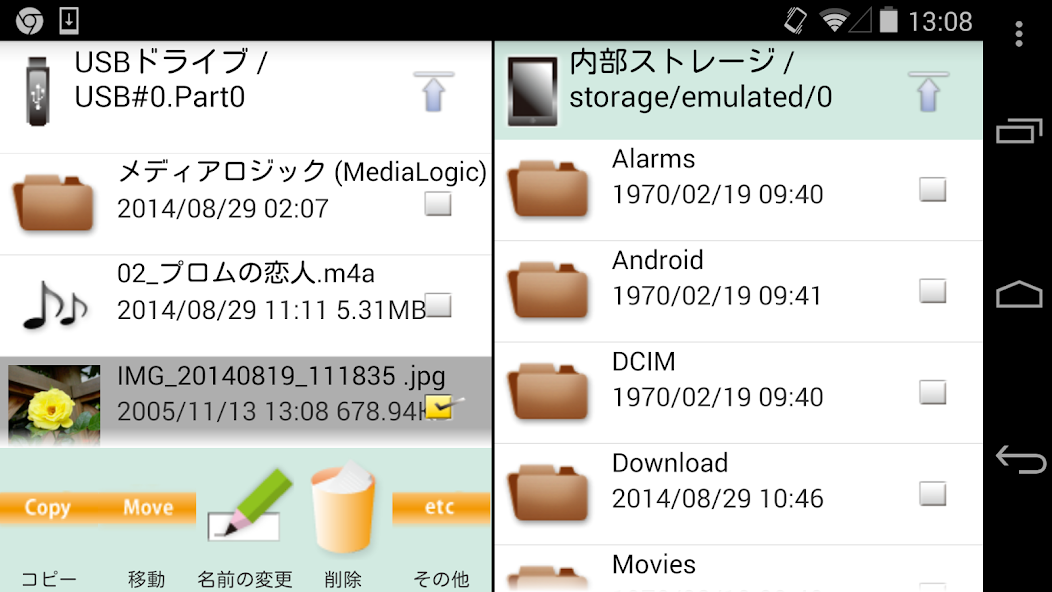
You can access files in the terminal and files in USB devices(memory,harddisk,card reader etc).
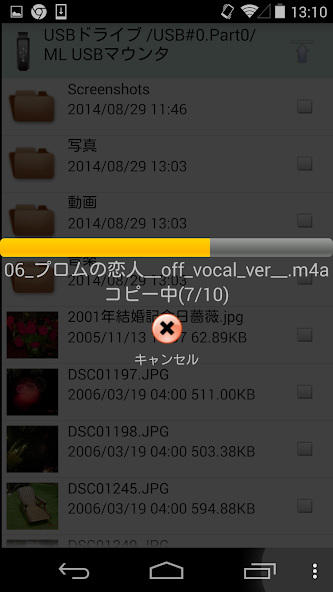
Also, you can backup the files in the terminal to the USB device or copy the files inside the USB device into the terminal.
(Connect USB device to terminal with USB OTG cable.)
Features
MLFS installed
- Possible to access the USB device of the file system that the OS of the terminal does not support
- NTFS write support! BD/DVD media accessible!
[Supported file system]
NTFS(*1),exFAT(*2),FAT32,FAT16,UDF(*3),ISO9660(*3)
*1: Read-only.
Becomes possible to write by purchasing the extensions "MLUSB NTFS Write".
*2: Becomes possible to mount by purchasing the extensions "MLUSB exFAT File System Support".
*3: Becomes possible to mount read-only by purchasing the extensions "MLUSB UDF/ISO Mount".
"MLFS": Original technology to directly control USB devices and mount various file systems.
Other features
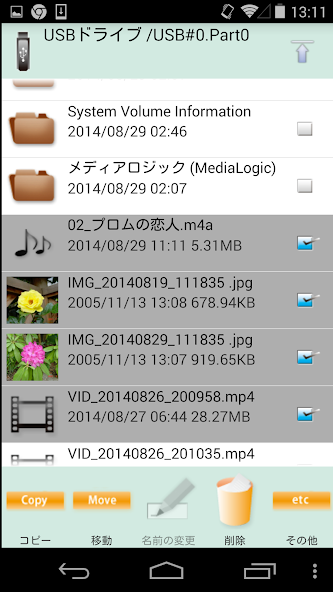
- Various file operations such as [Copy/Move/Delete/Rename] can be done.
- Independent filelist of 2 screens can be displayed.
- Supports WebDAV client function. Access to WebDAV device and WebDAV server is possible.
"WebDAV":
Standard specification enabling file management on a Web server using HTTP protocol.
The WebDAV server can be used as a network drive and can be accessed from WebDAV client software.
Extensions(Free)
ML MediaPlayer
- Movie playback app dedicated to MLUSB Mounter.
- See below for details.
https://play.google.com/store/apps/details?id=jp.co.medialogic.mediaplayer
Extensions(Pay)
Purchase is required when using the following functions.
MLUSB Google Cast
- Can cast the contents of the terminal to Chromecast etc. and watch it on TV.
MLUSB UDF/ISO Mount
- Can connect USB BD/DVD drive and access BD/DVD media(UDF/ISO9660).
- Can refer to BD/DVD media as ISO image file.
Can play DVD-Video by using the DVD menu by opening ISO file with Kodi etc media player app.
Can import ISO files into the terminal.
- ISO file can be mounted as BD/DVD media.
Notes:
- Not support copyright protected media.
MLUSB Disk Utility
Disk management of USB devices is possible without PC.
Disk Formatter
- Can be formatted with FAT32,FAT16,exFAT.
Disk Eraser
- Can overwrite the data and erase it completely.
Disk Checker
- Can inspect the disk with a read check.
MLUSB Auto Backup
- Autobackup Movie/Photo/Music files to USB device.
MLUSB WebDAV Server
- Can share the folder of the volume inside the terminal/USB device as a WebDAV server.
- The WebDAV shared folder can be accessed from Android's WebDAV compatible app, PC Web browser, etc.
- With this function, files in the terminal can be accessed from the PC.
- Furthermore, with this function, app of other companies can access MLFS mounted USB devices.
(Other company app can access NTFS and other unsupported file systems)
MLUSB exFAT File System Support
- Add exFAT mount function to MLFS.
MLUSB NTFS Write
- Add NTFS write function to MLFS.
System Requirements
OS
Android 2.2 or later
Notes: MLFS requires models are equipped USB host function and Android 3.1 or later.
Devices
Built-in storage, SD card, USB mass storage.
Details, visit the website.
http://www.medialogic.co.jp/
* DISCLAIMER
"Media Logic, corp." IS NOT RESPONSIBLE FOR ANY DAMAGE OR LOSS OF ANY PROGRAMS, DATA OR INFORMATION ON THE PRODUCT BEING SERVICED.



 Download