

Famous paintings style AI art editor: oil painting, watercolor & sketch filters
Turn your photos into beautiful paintings with a powerful, completely private, and easy to use photo editor. Try out 350+ different art filters and effects in premium mode and explore free 80+ deep art effects in free mode to turn your photos into fantastic creations. You may also create custom styles from your favorite paintings! The art editor offers a range of paint effects for pictures and abstract photo effects to enhance the look of your photos. What sets this effects studio apart from other apps is that it uses AI deep effects and TensorFlow Lite technology to trace the neural networks of your device and offer exceptional editing without the need of uploading your picture. You also get to learn about famous paintings and painters in this amazing app.
Try Paintation – Photo Art Effects & Painting Filter now!
AI & TENSORFLOW POWERED ART EDITOR
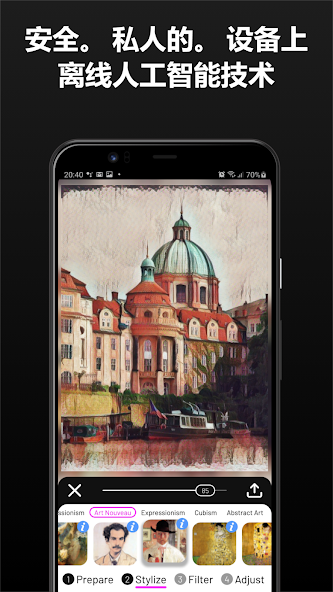
No need to risk the privacy of your photos as this effects studio uses deep art effects AI technology coupled with the TensorFlow technology. For that reason, it can run in offline mode, and your photos never leave your device unless you decide to share them!
EDIT YOUR PHOTOS IN STREAMLINED STAGES
Try a cool paint effect for the picture and adjust it as much as you like. The art editor app offers a unique effects studio workflow pipeline that relied on 4 unique stages:
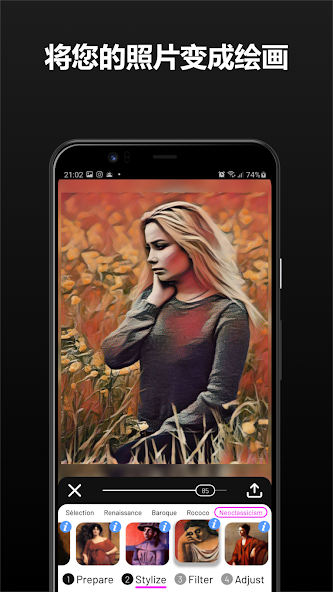
(1) Prepare -> (2) Stylize -> (3) Filter -> (4) Adjust
These stages eliminate any chances of errors while applying abstract photo effects, art filters, and effects to your photos. You can adjust the filter level as you like and edit your photos to enhance your appeal.
(1) POWERFUL PREPARE STAGE
Prepare your image input before it enters the stylize stage by using the tools of the Prepare stage. The Prepare stage contains many basic and advance photo editing tools, such as background change, deform tool with liquify filters, image correction, fine rotation, crop and size adjustment, vanish tool, clone, selection tool, brightness and contrast adjustment, smoothness adjustment, sharpen tool, noise adjustment, Saturation, Hue and Vignette. Background change tool relies on automatic people segmentation allowing you to replace image background with an arbitrary gallery or built-in image. All these art editor tools prepare your photos to enter the next stage of the effects studio pipeline.
(2) EXCITING STYLIZE STAGE
Try appealing new 350 style images based on famous paintings to turn your photos into artwork. Styles are divided into 14 groups: Selection, Renaissance, Baroque, Rococo, Neoclassicism, Academicism, Romanticism, Realism, Impressionism, Post-Impressionism, Art Nouveau, Expressionism, Cubism, Abstract Art, and Surrealism. You can choose paint effects for pictures corresponding to your era of interest. This stage of art filters and effects application also helps you to learn about famous paintings, painters, and eras as you tap on the information button on every stylize selection.
(3) FILTER STAGE
The Filter stage, as the name suggests, contains many abstract photo filters, paint filters for photos, and color filters that can further improve your result. You can apply art filters and effects such as Original Colors, Warm, Cold, Sepia, Black & White, B&W + Stretch, Bone, Ocean, Pink, Spring, Summer, Autumn, Winter, Hot, Cool, Magma, Inferno, Plasma, Cividis, Threshold, Edges, Glowing Edges, and Negative.
(4) ADJUST STAGE
Finally, the effects studio has an Adjust stage that brings most of the previously mentioned tools again allowing you to fine-tune the result.
MULTIPLE EXPORT OPTIONS
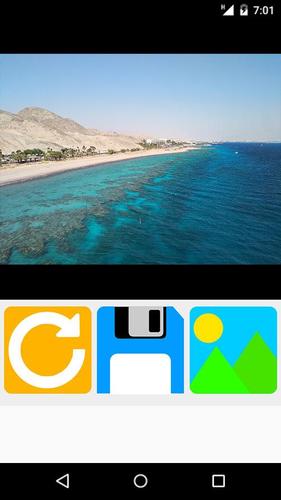
The effects studio and photo editor app lets you save and share your photos in a solo mode or collages. You can use the photo editor to save and share:
1) Full picture after applying deep art effects
2) Collage of original and transformed pictures
3) Collage of original, style, and output pictures
CREDITS are listed on http://Paintation.com.
Terms of Use: http://Paintation.com/terms-of-use-android.html


 Download