

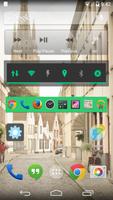
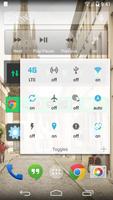
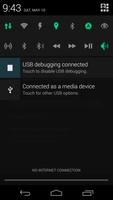
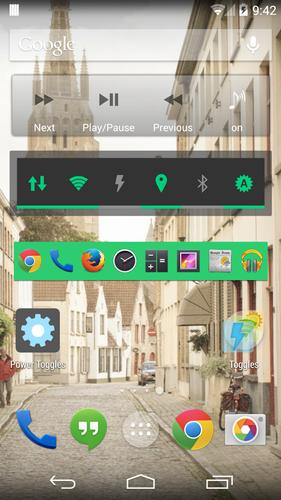
An advanced power control widget. FREE and No ADS
An advanced power control widget. FREE and No ads
https://github.com/sunnygoyal/PowerToggles
Note: Many toggle (GPRS, NFC, AirplaneMode...) are not working on Lollipop even with root. This is a known issue. I am still looking for a fix.
For creating a Tasker toggle, refer http://powertoggles.com/tasker/
For concerns regarding SuperUser permission: http://m.powertoggles.com/help.php?e=26 , https://plus.google.com/103583939320326217147/posts/T9xnMJEnzf1
FAQ: http://powertoggles.com/help/
(****** Note: Do not install on SD card ******)
**Call phone permission is required for adding direct call shortcuts on the widget.
Contains 40+ toggles including
Wifi
Mobile Data (3G/4G)
Bluetooth (toggle, discovery and tether),
Flashlight
Custom application shortcut
Custom system shortcuts
And many more...
Supports homescreen widgets and notification widget. Also supports expandable notification widget on Jelly Beans and above.
Lockscreen widgets on android 4.2+
Many customization options like changing color theme and icons for individual toggles.
Backup and share widget settings from the widget configure screen (Menu > Import / Export) as well as various themes for multi-icon toggles and battery toggle.
Permissions:
android.permission.ACCESS_SUPERUSER: Required for running root commands. No effect on non-rooted phones. Users will still get the prompt asking for permission when running root command. http://m.powertoggles.com/help.php?e=26
android.permission.CAMERA: Required for the flashlight to work.
android.permission.SYSTEM_ALERT_WINDOW: required to display a toggle choice popup when using notification widget (Only on gingerbread)
Note: on gingerbread, direct notification toggle is not possible. The clicking the notification widget, it displays a popup to choose an action.
Feel free to suggest more toggle button ideas.
Please go through the Help and FAQ section in the app (fully searchable) twice before reporting a bug, most likely it is already answered there.
It is difficult for me to reply to each email individually, some of the emails may get lost in the huge list of unread mails. If you do not get a reply within a week, ping me again.






 Download