

Read and save any QR Code & Barcode. Inventory tracker. Backup/restore feature.
Simple Commercial Barcode & QR Code System
And Now with Revenue Report!
Keep track your profit, cost and revenue by daily, weekly, monthly or all time!
Fast QR Code and Barcode Reader and Saver
Inventory tracker enables you to keep track of stock numbers of your products.
Calculation module enables you to sum prices of items scanned and reduce stock numbers when you do "sale".
This is the DEMO version and have some restrictions.
You can install FULL PRO version from here.
https://play.google.com/store/apps/details?id=com.pmobile.barcodeapppro
In PRO version:
+ Export database to XLS file support
+ Import XLS file to database support
+ Limitless code recording.
How To use?
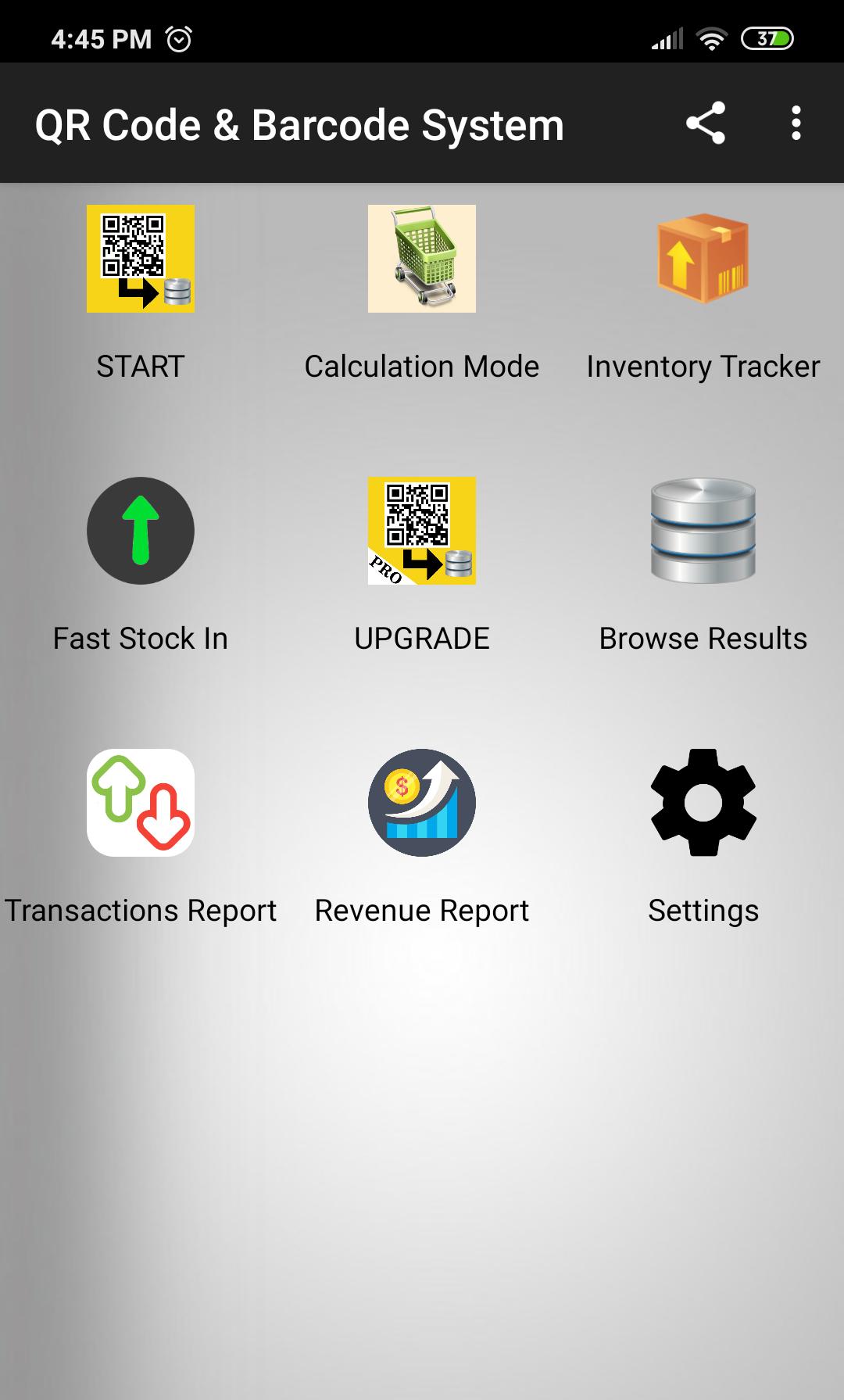
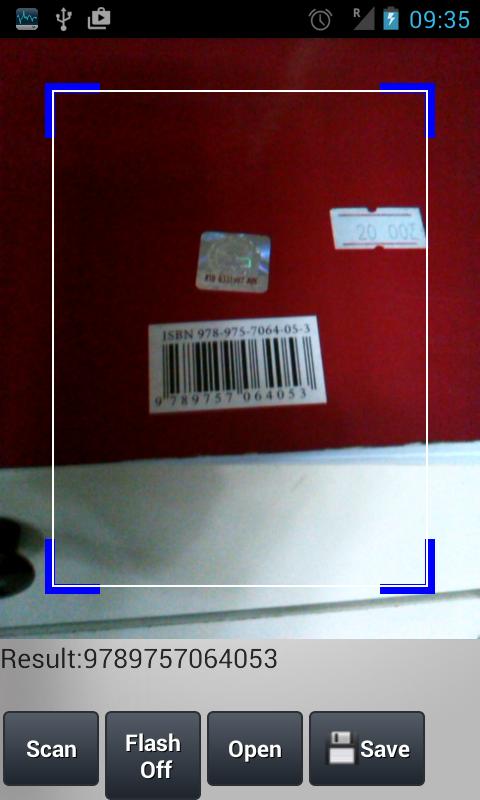
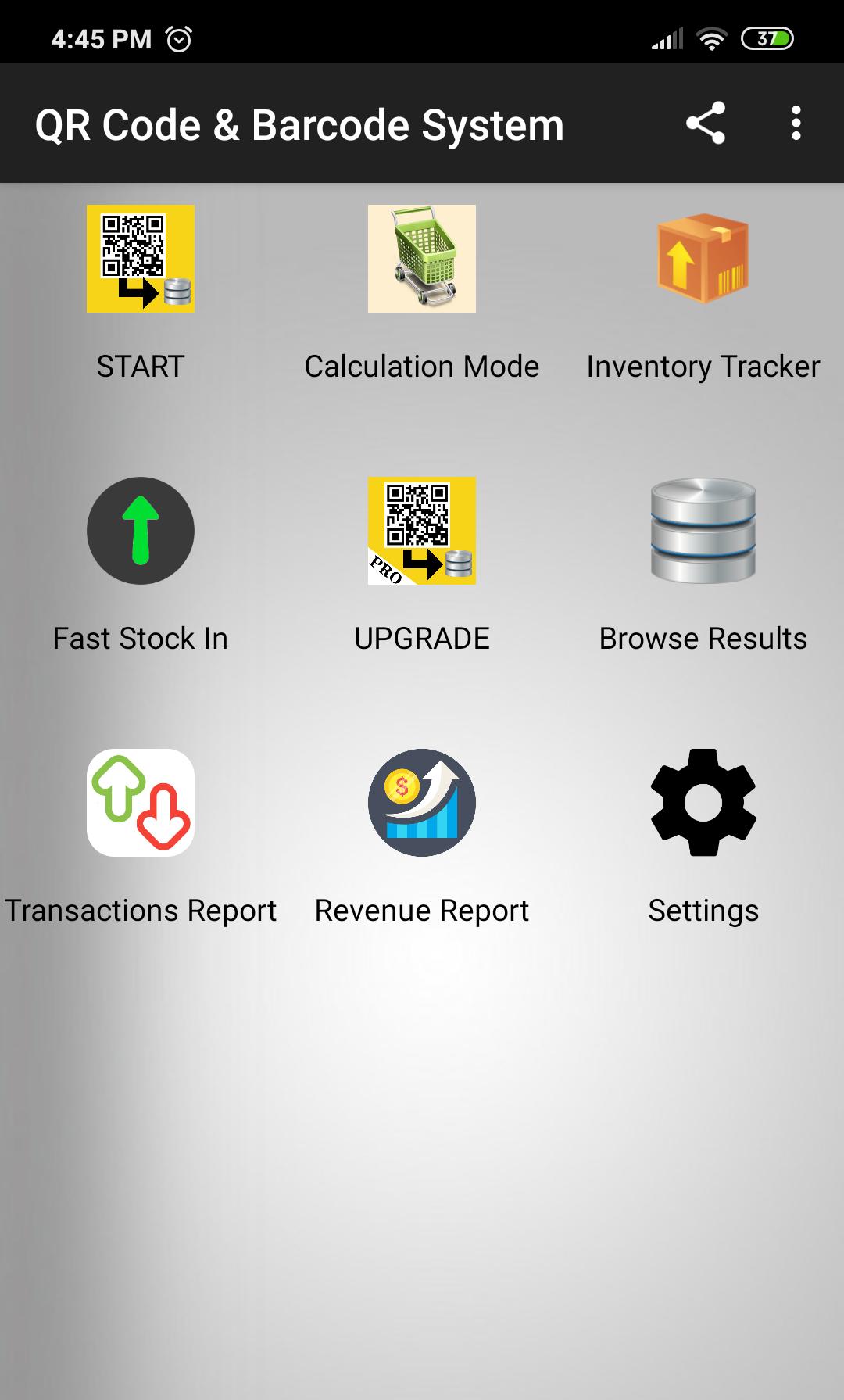
* Simply touch "Start" button and preview QR Code by using camera of your device.
* If the scanned code is saved before, the details will be shown.
* You can disable this from "Settings" page.
* You can switch Flash ON/OFF when light is not enough.
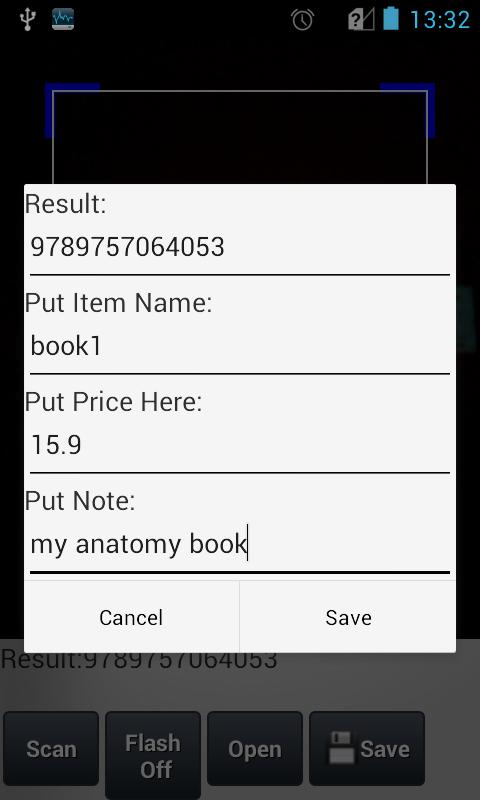
* You can read and save to database QR Codes and barcodes.
* By "Inventory Tracker" button you can manage stock infos of records. Select an item to add stock input/output.
* By "Transactions Report" button you can see DAILY, WEEKLY and MONTHLY stock transactions.
* By "Browse Results" button you can search and filter in saved codes. By selection one of them, you can edit or delete it.
* Exporting and importing results support is available only at PRO version.
* By "Export Results" support you can export results to an XLS file. The file is saved to "qrcode_reader_exports" directory in your SD Card. (in PRO version only)
* By "Import Results" support you can import data from an XLS file located in "qrcode_reader_exports" directory into database. (in PRO version only)
You can add image to records at Browse->Record Details page.
Touch Edit button, touch Select Image button and touch Save button.
Calculation Mode Usage
1. Scan the barcode. If a record found, the item will be listed and the price will be summed.
2. Touch Scan button to scan and add new items.
3. Touch the item to edit number of copy.
4. Touch the cancel button on the item to remove from list.
Contact [email protected] for your questions and suggestions.
A possible usage scenario for a tradesman:
You can find price of your products by scanning barcode of it.
1. Firstly, scan and save barcodes of your products along with their price. By this way, you build your own barcode database.
2. Then, when needed, scan a product barcode and the price info you saved before will pop up.
It is HIGHLY recommended to export results to a file regularly to avoid DATA LOSS. Then, you can import the exported file to recover database.











 Download