

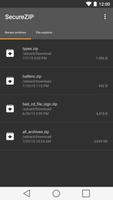
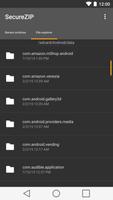
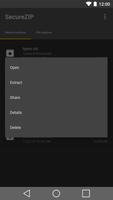
SecureZIP - Decrypt and open private files on Android
Extract and view your ZIP and encrypted/secured sensitive files from email, Dropbox, Box.Net or other cloud providers! SecureZIP Reader for Android™ combines ZIP decompression and decryption to deliver a data-centric security solution that protects data as it moves from the desktop to the cloud to the mobile device. Ensure security using passphrases or x.509 digital certificates.
As the creator of the ZIP file format, PKZIP and SecureZIP; PKWARE is building on its reputation of continuous innovation with the release of SecureZIP Reader for both personal and enterprise/business use.
For enterprise and business customers, the PKWARE SecureZIP Reader is the first enterprise app for the Android operating system that provides the ability to open compressed files (.zip .zipx and many other formats) that are secured using passphrase or certificate-based encryption (PKI, x.509 certificate). This allows you to easily receive enterprise sensitive data on your Android device without concern.
For personal use, SecureZIP Reader provides a free, fully functional, simple to use app to open and extract your files to store or use them, on your mobile device. Have a friend sending you sensitive files? The sender can password protect and encrypt them before sending to you, knowing you are able to open and view the files.
PKWARE SecureZIP Reader Top Features:
• Quickly and securely open, extract and save files or open with your preferred 3rd party application or viewer
• Simple to use with DropBox, Box.Net, Sugarsync and any other cloud provider for securing content throughout the cloud
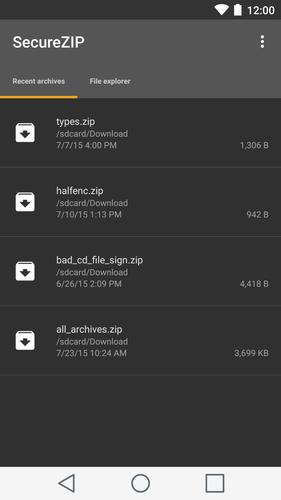
• Browse and review the contents of your ZIP files
• Open SecureZIP files with a passphrase or digital certificate
• Open the contents of ZIP files in associated apps
• Open ZIP files from Mail
• Open ZIP files from the web, cloud or flash cards
• Support for .ZIP .ZIPX and SFX compression
SecureZIP allows you to extract the following file types, and more:
• Photo and video formats
• Text file formats
• Office file formats
• PDFs and much more
SecureZIP Reader for Android was created by PKWARE, a company with a 30-year track record of helping customers compress and secure their corporate data and personal information across mobile, desktop, server and mainframe computing platforms and in physical, virtual and cloud environments.
For more information, visit us at www.pkware.com





 Download