

Enjoy millions of the latest Android apps, games, music, movies, TV, books, magazines & more. Anytime, anywhere, across your devices.
Also available in white http://goo.gl/Y3sbc4
Wallpaper used was by Alextc1 http:// goo.gl/1Cc9Ea
Check it out on MyColorScreen http://mycolorscreen.com/2013/08/06/soul-droid-black/
---== == FEATURES == ==---
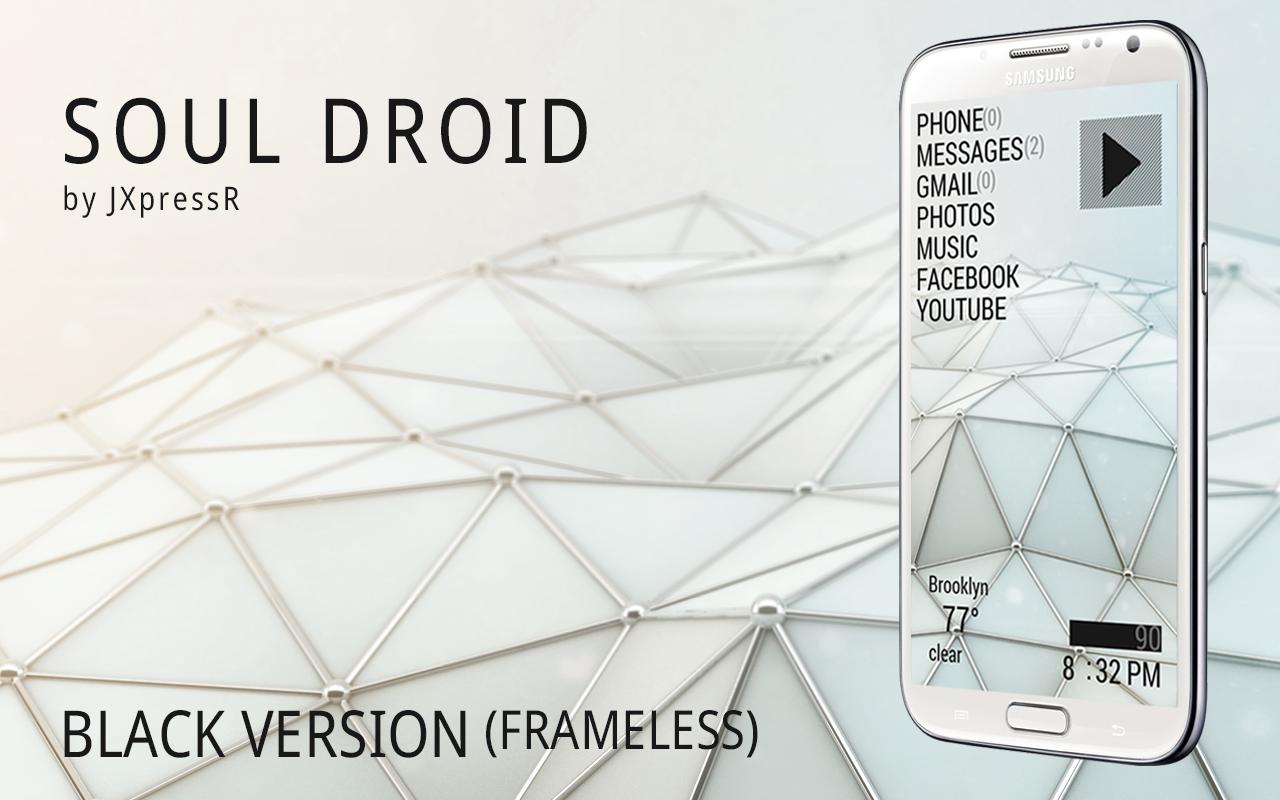
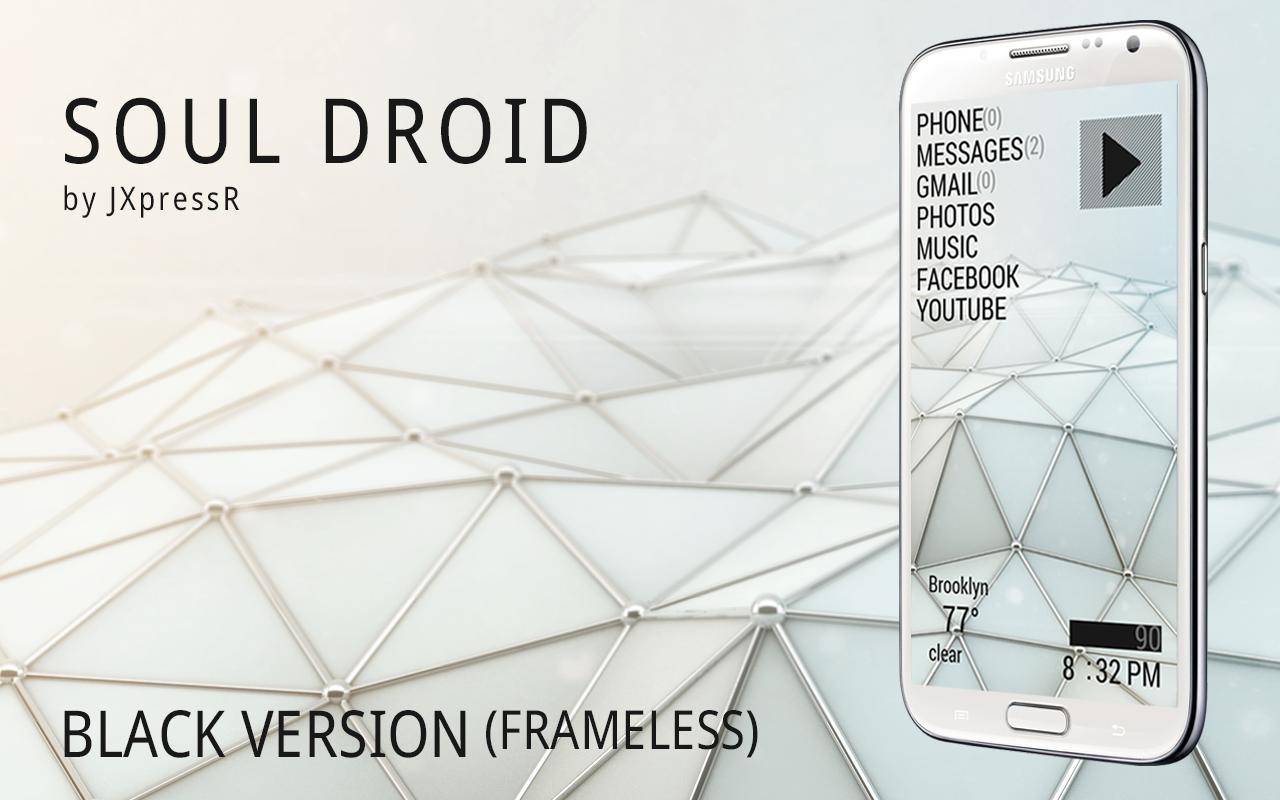
The Soul Droid theme pack contains 5 skins
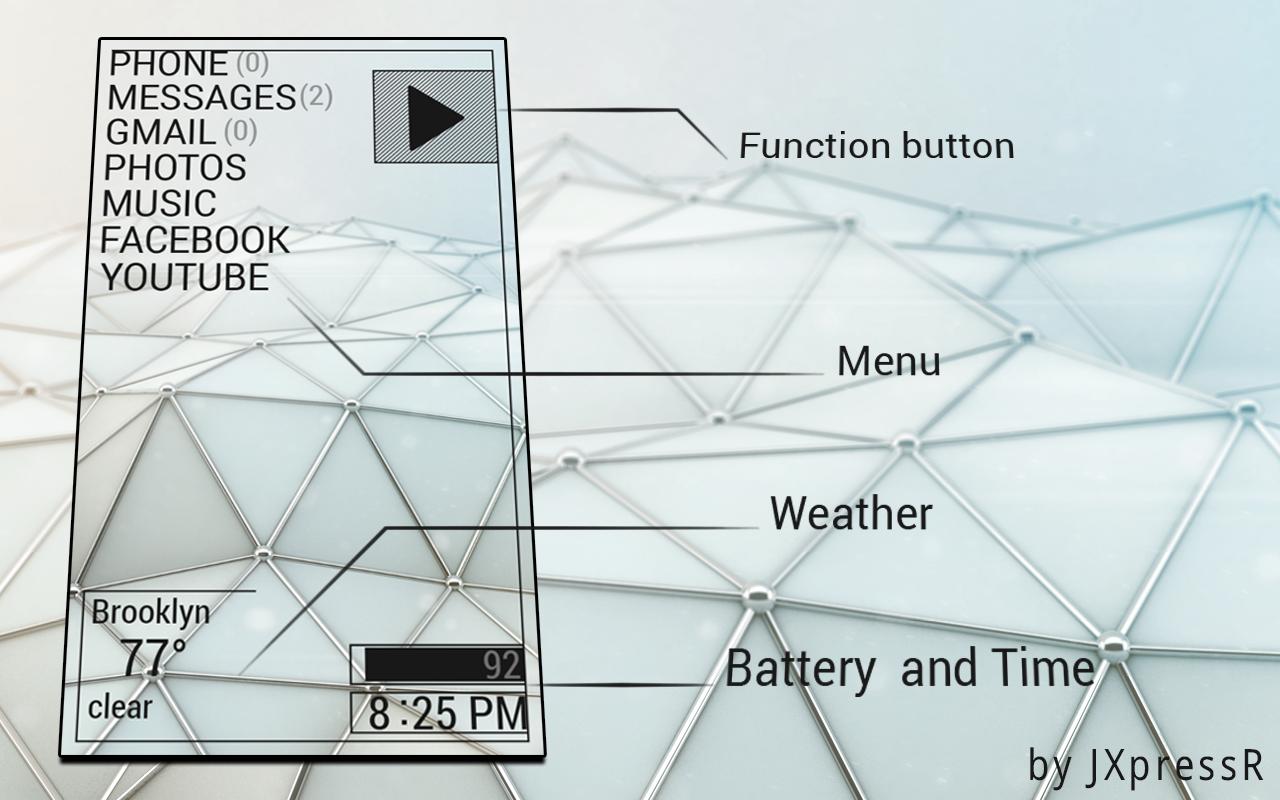
- Play button widget which you can modify the hotspot to whatever you want (default opens app drawer)
- Menu widget
- Weather and Location widget
- Battery and time widget
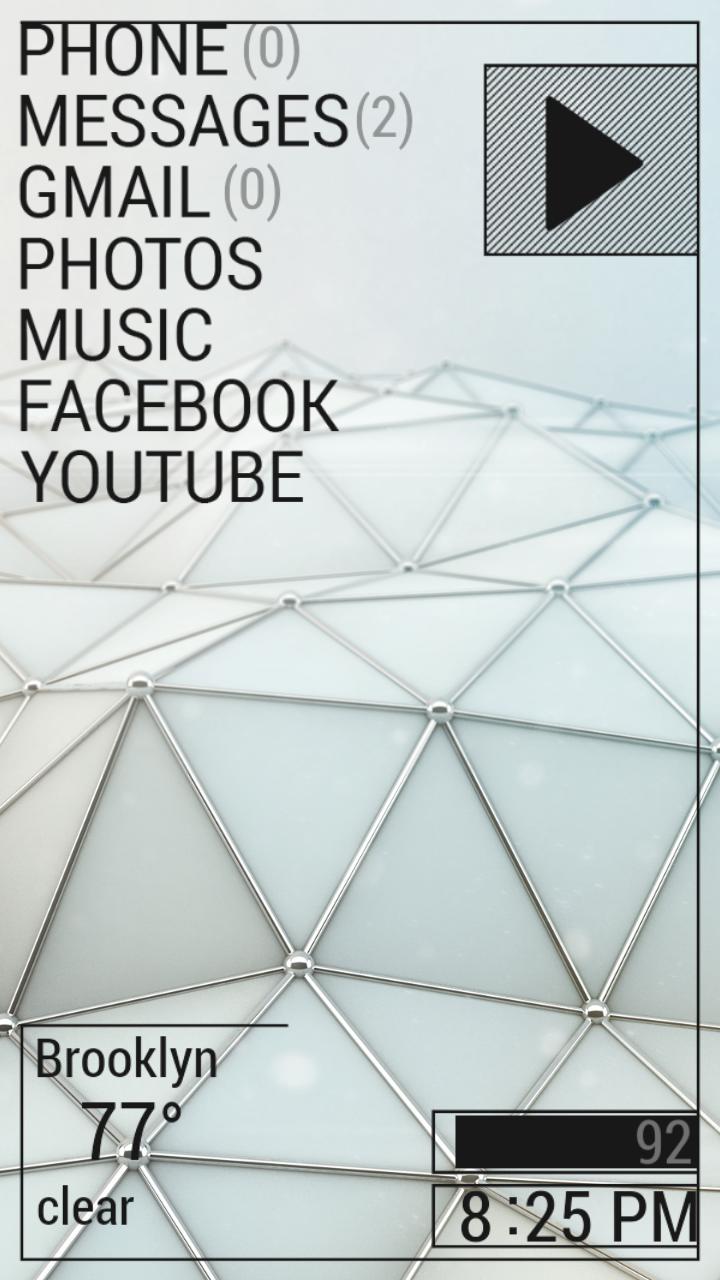
- Lastly, the "All-in-one" widget (with frame from screenshot)
***Keep in mind that you have full control of the placement of the skins as well as access to the hotspots, colors, and date formats of the skins***
---== == INSTRUCTIONS***READ BEFORE BUYING*** == ==---
This UCCW skin is not an all-in-one app. It must be used in conjunction with a custom launcher like Nova or Apex, also works with Lightning Launcher.
Please email me if there are any issues with installing the skin and I will gladly try to assist you with the problem and adjust the skin to your taste.
*** The font used is Roboto which you can obtain here http://goo.gl/hI2jN5 If the font is not the same as screenshots, use any file explorer app (ES File explorer works) to create a folder in your sd card named fonts and just make sure you place RobotoCondensed-Regular.ttf in that folder***
*** GO HERE FOR DETAILED INSTRUCTIONS http://goo.gl/0SH6Fp ***
---== == TIPS AND TROUBLESHOOT == ==---
- For the correct font, refer to the instructions sections above.
- Should your installation fail, check in your settings>security allow installation of unknown sources.
- Should you want to use Celsius instead of Fahrenheit or vice-versa, open UCCW from app drawer and tap menu button, tap settings, then uncheck/check for Fahrenheit/Celsius respectively.
- Should weather info not display/update, launch UCCW via app drawer, tap menu, tap settings, tap location, then make sure you have Auto location checked.
- For troubleshooting, email to me, I will certainly assist you with your problem.




 Download