

Touch File Manager is a special three panel view, drag & drop file manager
This is not another file manager for android.
Touch File Manager is a special three panel view, drag & drop file manager and very different from known file managers, because it contains lots of innovation.
The smallest supported screen size is 800x480 ( Galaxy S2 ), but it is optimized for tablets.
Touch File Manager is the fastest way for managing your media files stored on SD card and PC.
! No copy and move limit !
Can copy and move directly selected files and folders to all supported services from all supported services, and can do it between different accounts.
Supported services: Dropbox, Google Drive, Windows sharing, Picasa, File Server, FTP.
Supports Facebook albums and photos, but Facebook has lots of limitations.
If Facebook albums or friends are not shown try reset settings with the next steps on mobile and on Facebook:
Androids home screen -> Menu -> Settings -> Applications -> Touch File Manager -> Clear defaults
Login to Facebook in browser -> Privacy Settings -> Apps -> Touch File Manager -> Remove app
Resume partially downloaded and uploaded files if the server supports it.
Parallel and queued file transfer modes.
The options dialog automatically shows these options if it is necessary.
Usage:
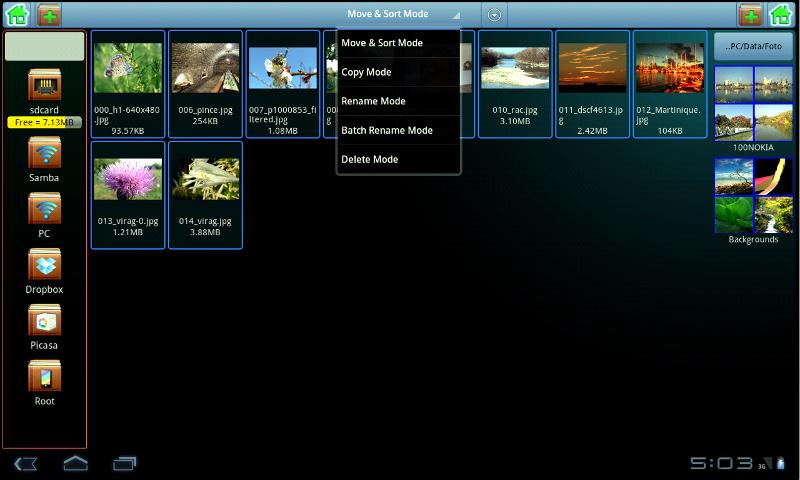
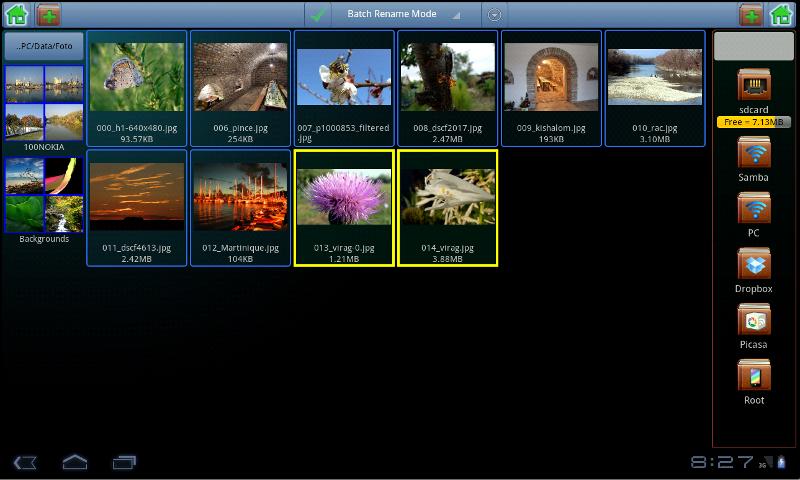
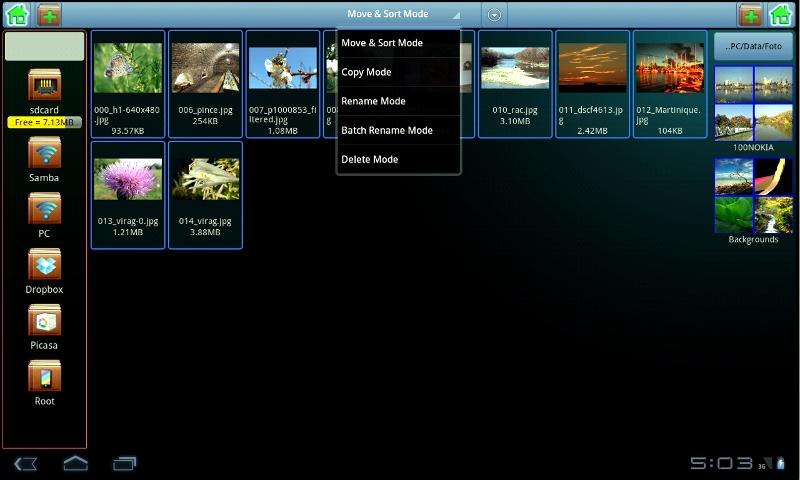
The left and right panels only shows folders, and the middle panel only shows files which are selected by the right or left panel.
Can copy and move selected files and folders to the shown folder in the left or right panel as shown in video.
Copy and move files and folders to itself are not allowed and in this case the target is not selectable.
The android back button go back from full screen mode, and go back to previous opened folder.
Touch screen usage on files:
Click select and deselect files, the touch-move starts the drag. Long click opens the file.
Slide left zoom out and slide right zoom in the thumbnail view.
Touch screen usage on folders:
The click opens the folder, the move starts drag and the long click starts the selected file mode.
Slide left and right show or hide the folder panels.
Some innovation example:
1. Operating mode selections: Move & Sort Mode, Copy Mode, Rename Mode, Batch Rename Mode, Delete Mode
2. Three panel view which requires less space and gives easier navigation than traditional two panel file managers.
3. Programmable home buttons in left and right panel by long press.
4. Batch file rename function.
5. Automatic file renaming according to sorting order.
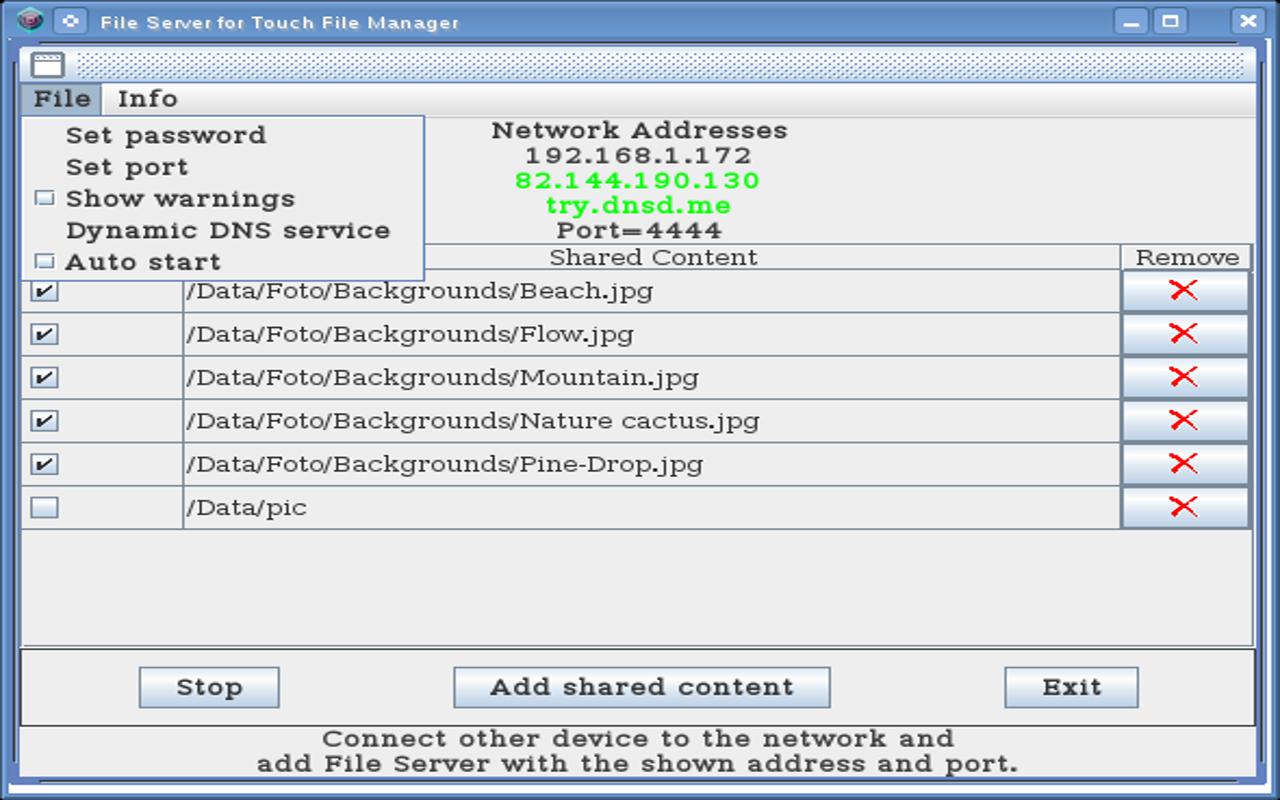
6. Sharing selected files and folders with HTTP media streaming in read only or read/write mode with other Touch File Managers via Wi-Fi.
All function works on local files, on shared content and on supported services.
Media Server:
Content sharing and Dropbox supports HTTP media streaming.
Touch File Manager try to open files by installed applications.
To play files directly from shared content and Dropbox requires HTTP streaming support in installed applications.
For example, MX Player, VLC, and built-in video player on Samsung.
File Server download for Mac, Windows, Linux : http://hqsoft.co
Ad supported free version and only one full screen ad is shown at start.






 Download