• Home
  • Game
    Action Simulation RPG Sports Casual Cards Music Puzzle Shooting Romance
  • Apps
    Business Social Lifestyle Shopping Tools Travel Finance Education News Health
  • Blogs

English 中文(简体) 中文(繁体) 한국어 日本語 Português Español Русский العربية Indonesia Deutsch Français ภาษาไทย
Home Apps Tools Twins free Magic Locker Theme
Twins free Magic Locker Theme

Twins free Magic Locker Theme

1
2
3
4
5
Download
  • Version 1.2
  • Category Tools
  • Package Name mobi.lockscreen.magiclocker.theme.free.yu.twinsfree
  • Update Time December 31, 2025
  • Size 794.92KB
About this app

Enjoy millions of the latest Android apps, games, music, movies, TV, books, magazines & more. Anytime, anywhere, across your devices.

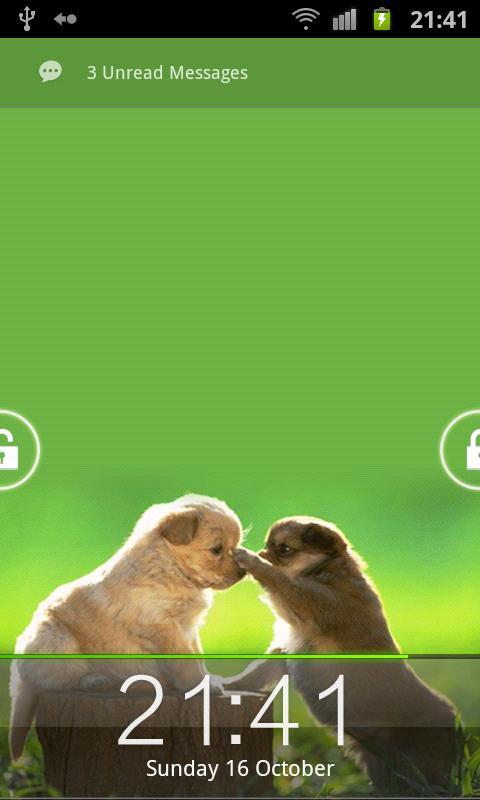
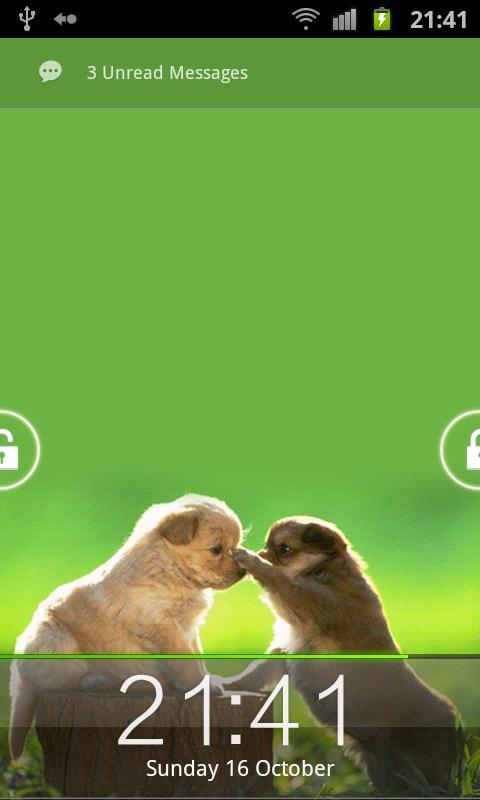
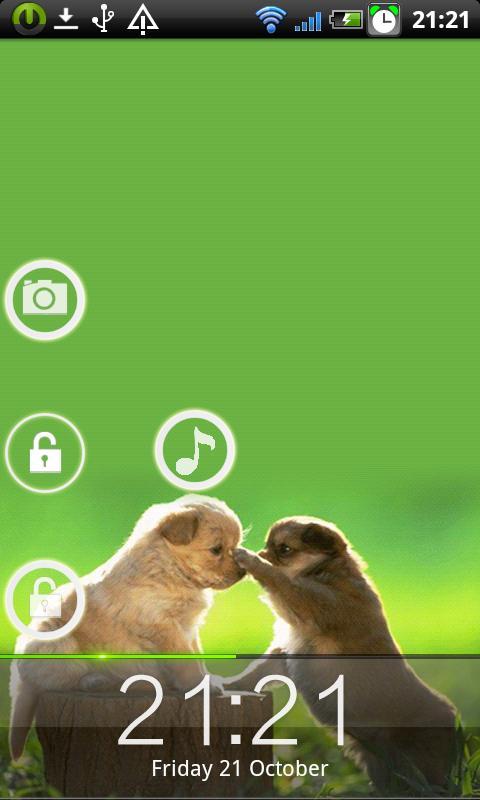
For 'Twins Free- MagicLockerTheme', either left or right hand is very easy to unlock.

It includes two home unlock icons on both sides.

It includes shortcuts for phone/SMS/camera also. You can buy a paid one for this theme in which the shortcuts can be customized. Thank you for your donation to support us.

Permissions Explanation:

Internet Access Permission : For AD display. (Only for Free Themes and AD be shown in Themes Applying and Themes Customization)

********

If you like our app please rate us five stars. Also your feedback is very important, please feel free to contact us at [email protected] if you meet any bugs or want any improvement!

********

Q&A:

Q: How to find more Magic Locker Themes?

A: You can press 'More Themes' button in 'MagicLocker Setting -> Themes Tab'. Or search 'mobi.lockscreen.magiclocker.theme' in Google Market directly.

Q: How to install Magic Locker Themes?

A: After you install a Magic Locker theme app, you need to run the theme app and press 'Install this theme' button in the theme dialog.

Q: How to uninstall Magic Locker Themes?

A: You can long press a theme in 'MagicLocker Setting -> Themes Tab' then press 'Uninstall theme'. Or go to 'System Setting -> Applications -> Manage applications' then find the theme App to uninstall as general App.

Q: Why the 'Lost Robot' theme can't be uninstalled from MagicLocker?

A: 'Lost Robot' is the default theme in Magic Locker and MagicLocker must ensure there is at least one theme exist.

Q: Why a theme disappeared from 'MagicLocker Setting -> Themes Tab'?

A: First, please ensure your SD card is available, if yes, please try to reinstall the theme app. 
What's New in the Latest Version 1.2

Last updated on Dec 30, 2015 1) Add Personal message setting
2) Add time style setting
3) Add silent mode switch setting
4) Add more wallpaper
Download(794.92KB)
Users also viewed
  • Photo Jesus Live Wallpaper

    Photo Jesus Live Wallpaper

    1.02 January 15, 2026
  • 4K Video Live Wallpapers

    4K Video Live Wallpapers

    1.1.9 January 15, 2026
  • SD card cleanup tool

    SD card cleanup tool

    3.0.3 January 14, 2026
  • Zen Garden -Fall- LW

    Zen Garden -Fall- LW

    2.4 January 14, 2026
  • Craft Your Landscape

    Craft Your Landscape

    1.2.6 January 13, 2026
  • dCrawl

    dCrawl

    1.0 January 13, 2026
  • Permission Master

    Permission Master

    1.114 January 13, 2026
  • Brightest Torch Light - Flash

    Brightest Torch Light - Flash

    1.6.6 January 13, 2026
  • Simple XML Viewer

    Simple XML Viewer

    1.0 January 13, 2026
  • Hagel App

    Hagel App

    2.3.14 January 12, 2026
  • WebView Developer Browser

    WebView Developer Browser

    1.2 January 11, 2026
  • [test]screen touch

    [test]screen touch

    1.0 January 11, 2026
  • MNW Weather

    MNW Weather

    2.0 January 11, 2026
  • App Installer Manager

    App Installer Manager

    1.1 January 11, 2026
  • Paul Walker Water Effect

    Paul Walker Water Effect

    1.1.2 January 11, 2026
About Privacy Policy Terms of Service Cooking Policy

© Copyright 2017-2026 downzk.com