

Achieve super fast typing and editing with your voice and fingers together
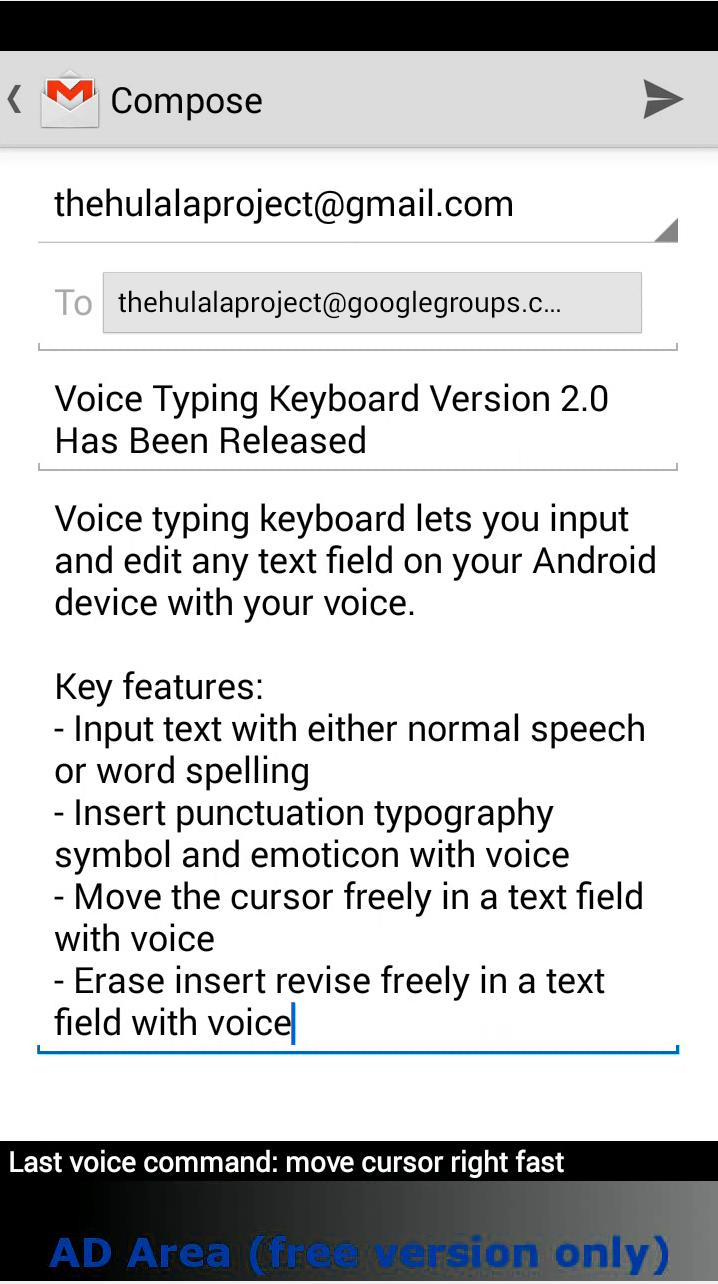
Voice Typing Keyboard (VTK) lets you input and edit any text field on your Android device with your voice. No microphone button to push, simply say "Listen" and start to speak what you would like to input in a text field.
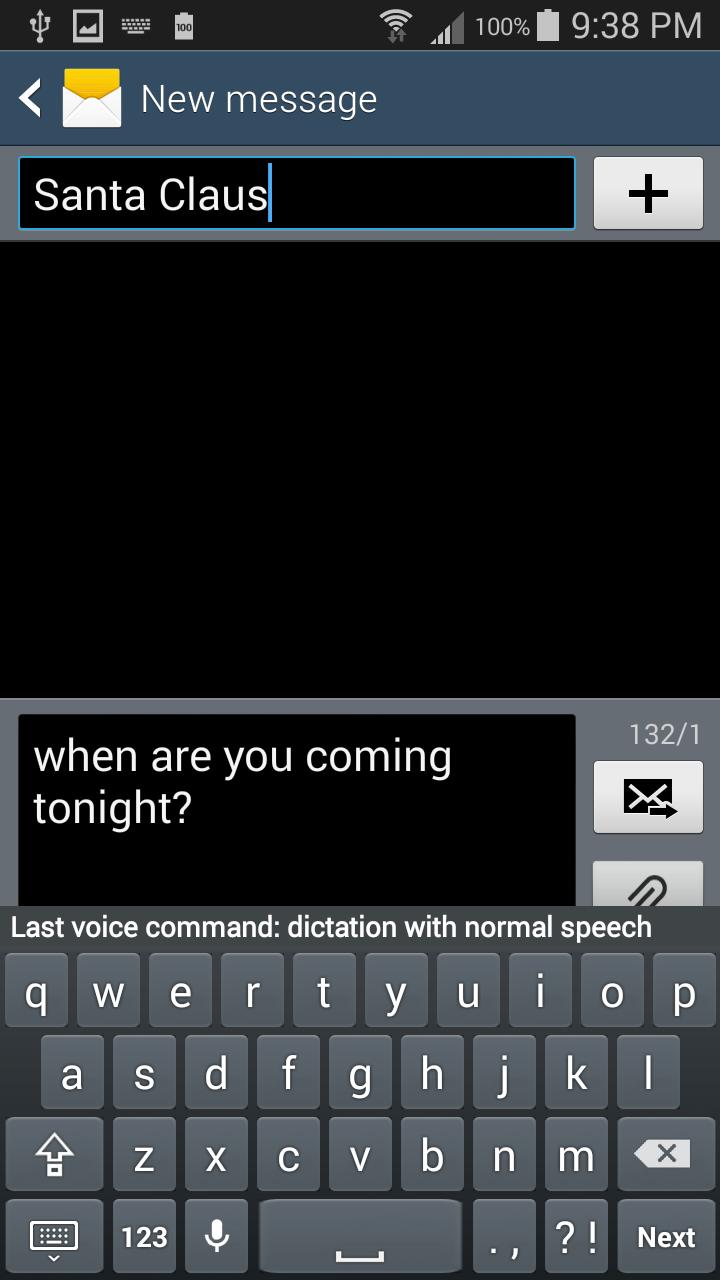
Continuous dictation: In a text field, simply say "listen", you will hear a single beep, then you can start to speak what you want to type. Speak a sentence, check the text, you will hear a single beep to prompt you to speak the next sentence. This can go on and on, and you can say as many sentences as you want. If you have nothing more to say, simply quit speaking and wait for the double beep. After a double beep, you have to say "listen" again to start another round. Tip: During dictation, use punctuation to make the text format better, you can say "period" "comma" "question mark" "exclamation point" "dash" "enter (new line)" etc after each sentence; You may also use the on-screen keyboard to do editing such as adding punctuations after a sentence, or you can move cursor to somewhere for inserting the text you will be speaking next.
You can revise the voice recognition result with your voice too by, for example, saying "POS Left" or "Word Right" to move the cursor 1 position left or 1-word right; or saying "Press Left" and "Move Fast" to start automatic cursor motion to left and set the motion speed fast. You can also say "POS erase" or " Word erase" to get rid of any character or word. You can even spell out letters of words, and insert punctuation, typography, symbol and emoticons, and format text with desired capitalization using your voice. Voice Typing Keyboard includes an on-screen keyboard in case you really need it.
Key Features:
- Input text with either normal speech or word spelling
- No microphone button to push, just say "listen" or "spelling"
- Insert punctuation, typography, symbol and emoticon with voice
- Move cursors freely in a text field with voice
- Erase/insert/revise freely in a text field with voice
- Format text with desired capitalization with voice
- Include an on-screen keyboard that can be hidden with voice
Voice Typing Keyboard currently supports US English only. This free version is AD supported.
This app requires Google Play Services.
https://play.google.com/store/apps/details?id=com.google.android.gms&hl=en
and Google Voice Search (for "listen" and "spelling" commands)
https://play.google.com/store/apps/details?id=com.google.android.voicesearch&hl=en
Please visit
https://plus.google.com/u/0/101459191856246993800/posts
for questions, comments and support.
Help Info:
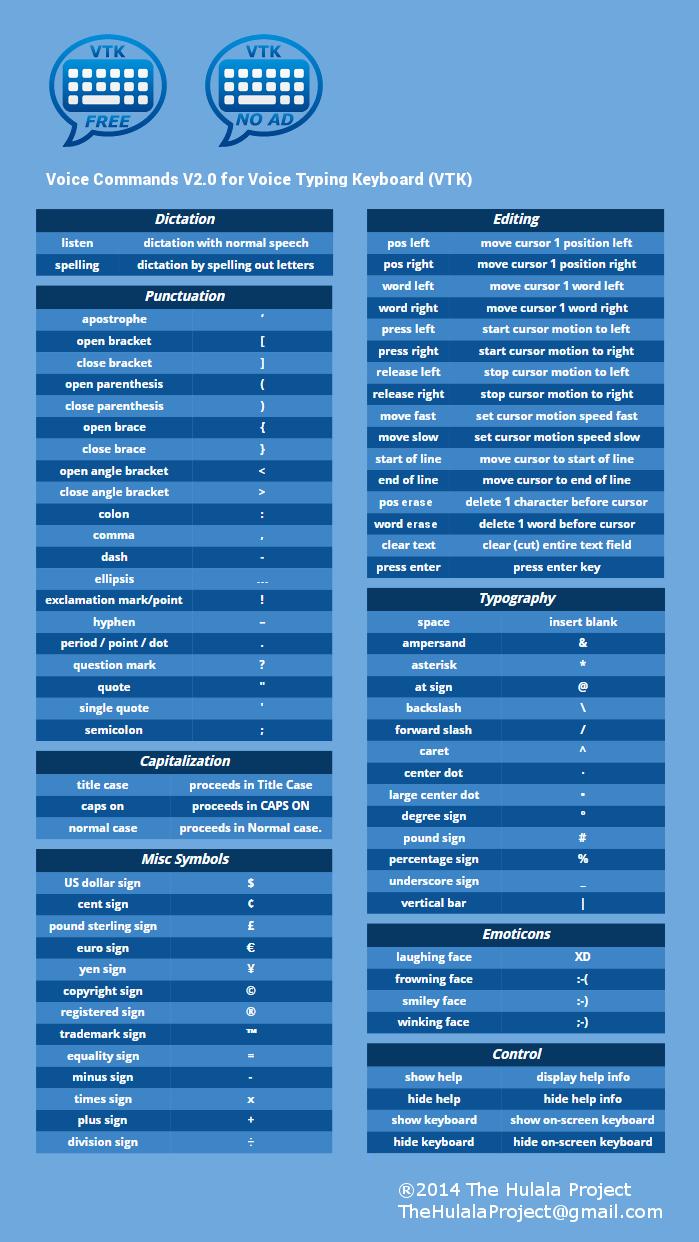
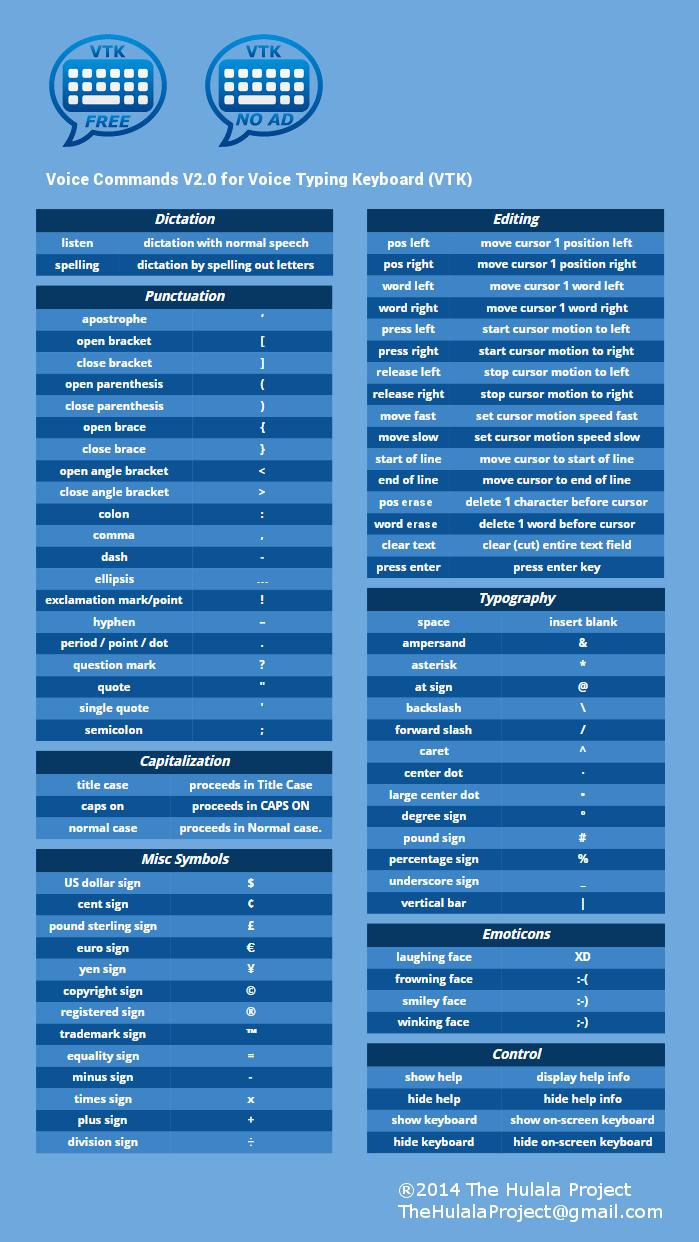
Voice commands for Voice Typing Keyboard Version 2.0 (see screenshot for command details)
Control: "show help" "hide help" "show keyboard" "hide keyboard"
Dictation: "listen" "spelling"
Editing: "pos left" "pos right" "word left" "word right" "press left" "press right" "release left" "release right" "move fast" "move slow" "start of line" "end of line" "pos erase" "word erase" "clear text" "press enter"
Punctuation: "apostrophe" "open bracket" "close bracket" "open parenthesis" "close parenthesis" "open brace" "close brace" "open angle bracket" "close angle bracket" "colon" "comma" "dash" "ellipsis" "exclamation mark (or exclamation point)" "hyphen" "period (or point or dot)" "question mark" "quote" "single quote" "semicolon"
Typography: "space" "ampersand" "asterisk" "at sign" "backslash" "forward slash" "caret" "center dot" "large center dot" "degree sign" "pound sign" "percentage sign" "underscore" "vertical bar"
Capitalization: "title case" "all caps" "normal case"
Misc Symbols: "US dollar sign" "cent sign" "pound sterling sign" "euro sign" "yen sign" "copyright sign" "registered sign" "trademark sign" "equality sign" "plus sign" "minus sign" "times sign" "division sign"
Emoticons: "laughing face" "frowning face" "smiley face" "winking face"
Tip: Say a phrase instead of just the command word to increase the recognition accuracy. For instance, say “insert space” instead of “space”.










 Download