

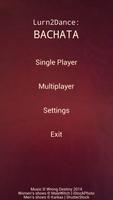

Learn basic Bachata steps with this fun, interactive app!
Dance by using two of your fingers to represent your feet, and your device represents the dancefloor and the speakers. The more correct steps you perform, the more points you get. You lose points by missing steps, stepping on the wrong foot, or stepping on your partner (if you chose to dance with a partner).
We recommend that you use your index finger and your middle finger – it doesn’t matter whether you are left-handed or right-handed. You may be able to play by using both of your index fingers, but we do not recommend it, because it can get very challenging at higher speeds and difficulty levels.
There is no pausing the game. You can stop the gameplay sequence at any time by pressing the “Back” button on your device. Doing this will bring you back to the Main Menu and no score will be recorded.
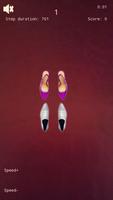
Since Android has a system limitation in terms of event timing precision – i.e. ticker events on Android, as of the time of writing of this text, cannot be expressed in units more precise than milliseconds – we have also included the Speed+ and Speed- buttons. You will use them to speed up or slow down your dancing if you feel that you are “falling out of rhythm” with the music. You can choose whether you want these two buttons to be on the left or on the right side as you play. All Lurn2Dance games cater to both left-handed and right-handed users.
You cannot speed up or slow down the music, so instead you can speed up or slow down your steps, by reducing or incrementing the number of milliseconds between your steps. This takes effect immediately, and will be very useful for example with Salsa at Fast or Ultra Fast speed. For the best possible gameplay experience, we recommend that you use the Speed+ and Speed- buttons sparingly, because you can very quickly make your steps too fast or too slow for the music.
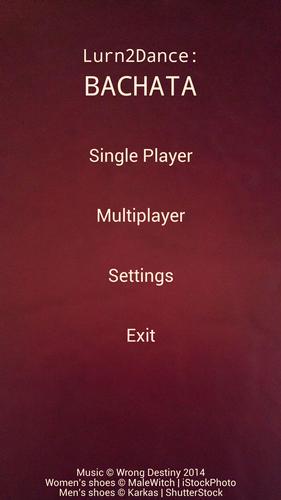
Single Player:
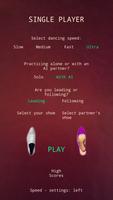
First, you select your dancing speed. This affects the speed of the music, the speed of the steps, and the overall experience you will get. For more information on dancing speed, please refer to the Speeds page.
For beginners we recommend slow or medium speed settings. Once you get better, feel free to advance to the Fast and Ultra speed settings, but again, please be careful of how much and how long you play.
Then, you select whether you want to dance alone (good for practicing steps at lower difficulty levels where there is plenty of repetition), or with an AI partner. The AI partner won’t step on you, so please try not to step on them, either.
After that, you select whether you are leading or following. In most traditional dances, men lead and women follow. So here you are basically choosing whether you are dancing the “men’s” steps, or the “women’s” steps.
Then, you select your shoes and your partner’s shoes by clicking on the respective shoe icons. The shoe selection you make is merely aesthetic and does not affect the gameplay in any other way.
Underneath the “PLAY” button you have an option to display high scores, and underneath that, you can select whether you want your Speed+ and Speed- button to be on the left side or on the right side.
When you are ready, press the “PLAY” button. The music begins immediately. Wait for the introductory measure to count out, and begin dancing.
When a shoe flashes blue, that means that you need to step on it as soon as possible. When a shoe flashes green, that means that you made a good step, and you will get 100 points. When a shoe flashes red, that means that you should not have stepped on that foot at that time, whether it be your own or your partner’s foot. You will then lose 50 points. As a general rule, you should not step on your partner’s feet any time while playing any Lurn2Dance game, or while dancing in real life.



 Download