

Gunakan gambar dari kamera Canon Anda melalui Wi-Fi
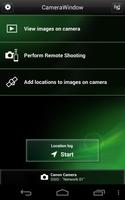
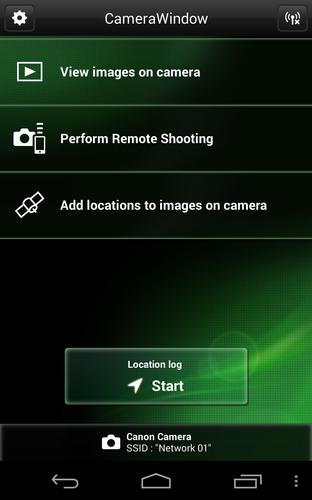
Canon CameraWindow (Canon CW) adalah aplikasi gratis yang memungkinkan pengguna untuk mentransfer gambar gambar dengan kamera digital Canon Compact (lihat di bawah untuk model yang kompatibel) ke perangkat Android melalui Wi-Fi* dan berbagi gambar ini dalam langkah-langkah sederhana.
*Anda dapat menghubungkan kamera secara langsung ke perangkat (atur kamera sebagai titik akses yang disederhanakan) atau bergabung dengan jaringan Wi-Fi yang ada (menggunakan titik akses Wi-Fi).
Fitur:
-This application provides the following features:
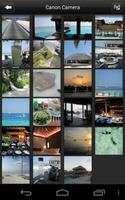
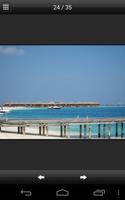
1) Browse and playback images from your camera using your Android device.
2) Save one or multiple images to the Android device (You can also save images using the camera's interface)
3) Gunakan opsi Bagikan untuk berbagi gambar Anda secara online melalui layanan yang diinstal seperti email dan Facebook (memerlukan akses ke jaringan Wi-Fi yang terhubung ke Internet).
4) Acquire location information and add it to images on the camera (Only compatible camera)
5) Remote shooting with Android device touch operation (Only compatible camera)
6) Support for NFC equipped device (Only compatible camera)
------
*NFC touch connection is also available with "Camera Connect" by changing its settings.
Our Camera Connect app will rewrite the NFC tag for you automatically.
Yang harus Anda lakukan adalah menghubungkan kamera Anda ke aplikasi Camera Connect dan pesan akan muncul tentang menulis ulang informasi tag NFC, cukup tekan OK.
Certain models will require you to:
1. Connect your camera to the Camera Connect app.
2. Select Camera Setting from the app's main menu.
3. Click on Start Writing.
4. Tap your camera to your device.
5. Rewrite will then be complete.
------
Compatible models:
[Canon Compact Digital Cameras supporting features: 1, 2, 3, 4, 5, 6]
PowerShot G7 X, PowerShot SX60 HS, PowerShot N2, PowerShot G1 X Mark II, PowerShot SX700 HS, PowerShot SX600 HS, PowerShot N100, PowerShot Elph 340 HS/IXUS 265 HS
[Canon Compact Digital Cameras supporting features: 1, 2, 3, 4]
PowerShot G16, PowerShot S120, PowerShot S200, PowerShot SX510 HS, PowerShot SX280 HS, PowerShot, PowerShot ELPH 330 HS/IXUS 255 HS, PowerShot ELPH 130 IS/IXUS 140, Powershot Elph 120 ISHOT ELPH 130 IS/IXUS 140, POWERSHOT Elph 120 ISHOT ELPH 130 IS/IXUS 140, A3550 IS, PowerShot S110, IXUS 245 HS
[Canon Compact Digital Cameras supporting features: 1, 2, 3]
PowerShot ELPH 530 HS/IXUS 510 HS, PowerShot ELPH 320 HS/IXUS 240 HS
*Connection is possible only by joining an existing Wi-Fi network (using a Wi-Fi access point).
Compatible platforms:
Android 2.3.3-2.3.7/4.0/4.1/4.2/4.3/4.4 (Tablets: 4.0/4.1/4.2/4.3/4.4)
Compatible File Types:
[Transfer / Share images]
-JPEG and MP4 files shot with the above compatible models.
[Add location information]
-JPEG (photos), CR2, MP4 and MOV files shot with the above compatible models.
Important Notes:
-Jika CamerAWindow tidak dapat terhubung ke kamera, hentikan aplikasi menggunakan "Kelola Aplikasi" yang dapat ditemukan di menu Pengaturan perangkat Android dan mulai lagi dengan menekan ikon CamerAwindow.
-Face ID function will record registered people's names to the images. Therefore, be careful when posting images online where others can view them.
-This application is not guaranteed to operate on all Android devices.







 unduh
unduh